

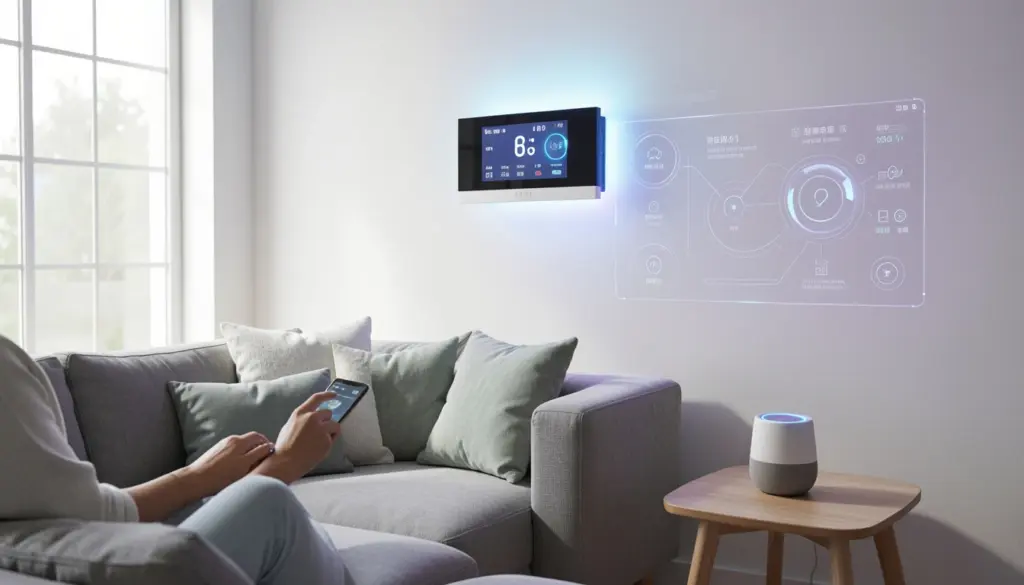
Walk into many homes today, and you’ll find a thermostat that adjusts itself, lights that respond to voice commands, and a refrigerator that can send you a grocery list. These aren’t science fiction scenarios — they’re the result of smart device technology quietly reshaping how people live and interact with their surroundings.
At the heart of this shift is the Internet of Things (IoT), a concept that connects everyday objects to the internet and to each other. Whether you’re completely new to the topic or just looking to understand it better, this guide walks you through what smart devices are, how they work, what types exist, and whether they’re worth adopting in your own life.
What Are Smart Devices?
A smart device is any physical object that can connect to the internet or other devices and respond to data, commands, or environmental conditions without requiring constant manual input. Unlike traditional electronics that perform one fixed function, smart devices can communicate, adapt, and often be controlled remotely.
Three characteristics define most smart devices. First, they are connected — capable of sending and receiving data through Wi-Fi, Bluetooth, Zigbee, or similar protocols. Second, they are automated — able to carry out tasks based on triggers, schedules, or learned behavior. Third, they are intelligent in varying degrees — some use basic rules to respond, while others rely on artificial intelligence (AI) and data analytics to make decisions over time.
A smart light bulb, for example, doesn’t just turn on and off. It can dim automatically at sunset, change color temperature depending on the time of day, and respond when you ask a voice assistant to adjust it. That combination of connectivity, automation, and responsiveness is what separates smart devices from ordinary gadgets.
How Smart Device Technology Works
To understand smart devices, you need to understand the Internet of Things — the broader network that makes them possible. IoT refers to the system of physical devices, vehicles, appliances, and other objects embedded with sensors, software, and network connectivity that allows them to collect and exchange data.
Think of it like a postal system, but for information. Each smart device acts like a sender and receiver, constantly passing small packets of data back and forth across a network.
Here’s how the basic flow works:
Device → Network → Cloud → User
- Device: A smart sensor or appliance collects data from its environment. A smart thermostat, for instance, reads the room temperature.
- Network: That data travels through your home’s Wi-Fi or a cellular connection to the internet.
- Cloud: The information is processed on remote servers using cloud computing. The system applies logic — if the temperature is above a set threshold, trigger the cooling system.
- User: You receive feedback or control through a mobile application or voice assistant on your phone or smart speaker.
This machine-to-machine communication happens in seconds and often without any human action at all. Real-time monitoring means the system is always checking, always adjusting. When multiple devices share this loop, they form what’s often called a connected ecosystem — a network of devices that work together rather than in isolation.
Types of Smart Devices
Smart devices have expanded well beyond smart speakers and thermostats. They now span nearly every area of life.
1. Smart Home Devices
These include smart lighting systems, smart thermostats, smart locks, and connected entertainment systems. Smart lights can be programmed to follow your daily routine — gradually brightening in the morning and dimming as you wind down for the night. Smart thermostats learn your schedule over time and adjust heating or cooling automatically, which directly supports energy management and reduces utility bills.
2. Wearable Technology
Smartwatches, fitness trackers, and health monitors fall into this category. They track physical activity, heart rate, sleep patterns, and in some cases, blood oxygen levels. The data they collect syncs with smartphone apps, giving users real-time monitoring of their health. Some medical-grade wearables can even alert users or their doctors to irregular heart rhythms.
3. Smart Appliances
Refrigerators, washing machines, ovens, and dishwashers now come in connected versions. A smart refrigerator can track expiration dates and suggest recipes. A connected washing machine can be started remotely and will send a notification when the cycle ends. These appliances contribute to automated routines that reduce the mental load of household management.
4. Security and Surveillance Devices
Home security systems have been transformed by IoT. Smart doorbells with cameras let you see and speak with whoever is at your door from anywhere in the world. Motion-activated cameras send alerts when activity is detected. Smart door locks allow you to grant access remotely and generate logs of who entered and when. These tools offer centralized control over home safety through a single app.
What Is Home Automation?
Home automation refers to the use of technology to control home systems and appliances automatically or remotely. It’s the practical application of smart devices technology in a residential setting.
Automation platforms like Amazon Alexa, Google Home, and Apple HomeKit act as the coordination layer — they allow different devices from different manufacturers to work together. Through these platforms, you can create automated routines: for example, a “Good Morning” routine that turns on the lights, adjusts the thermostat, and plays the news when your alarm goes off.
Home automation can be as simple or as complex as you choose. At the basic end, it might mean controlling your lights from your phone. At the more advanced end, it involves fully integrated digital home systems where lighting, temperature, music, blinds, and security all respond to a single command or trigger — such as arriving home or going to sleep.
The key advantage of automation workflows is that they remove repetitive tasks from your daily routine. Device synchronization means these actions happen across your entire home in a coordinated way, rather than one device at a time.
Benefits of Smart Devices Technology
The appeal of smart devices goes beyond novelty. There are practical, measurable advantages that explain their growing adoption.
1. Convenience
Convenience is the most immediate benefit. Being able to control your home’s systems from anywhere — whether you’re in another room or another country — removes friction from everyday tasks. Forgot to turn off a light or lock the front door? A quick tap in an app handles it.
2. Energy efficiency
Energy efficiency is another major draw. Smart thermostats, lighting systems, and appliances are designed to reduce waste. They turn off when not in use, run during off-peak hours, and adapt to patterns rather than running on fixed schedules. Studies consistently show that homes using smart energy management systems see a meaningful reduction in electricity consumption.
3. Security
Security is both enhanced and more accessible. Home security systems that once required professional installation and monitoring contracts are now available as self-installed connected devices with real-time alerts and remote accessibility.
4. Time-saving
Time-saving benefits accumulate quietly. When your home handles routine tasks automatically — adjusting the temperature, turning on the sprinklers, starting the coffee maker — you reclaim small pockets of time throughout the day.
Challenges and Risks of Smart Devices
A balanced view of smart devices has to acknowledge the real concerns alongside the benefits.
Privacy
Privacy is the most frequently raised issue. Smart devices collect significant amounts of behavioral data — when you’re home, when you sleep, what you watch, how much you eat. That data is typically stored by the manufacturer and, in some cases, shared with third parties. Reading the privacy policy of any device you bring into your home is genuinely worthwhile.
Security vulnerabilities
Security vulnerabilities exist in any connected device. Smart gadgets for home use can be entry points for hackers if they’re poorly secured. A connected camera or smart lock with a weak password is a security risk, not just a smart home feature. Keeping firmware updated, using strong, unique passwords, and enabling two-factor authentication where available are all practical steps that reduce exposure.
Cost
Cost is a factor for many households. Building out a full smart home system requires upfront investment in devices and sometimes in compatible hubs or routers. And because most smart devices depend on internet connectivity, they lose functionality during outages, which matters more if you’ve automated critical systems like locks or security cameras.
Dependency
Dependency is worth acknowledging, too. The more deeply integrated smart devices become in a home, the more disruptive it is when something fails — whether that’s a device malfunction, an app update that breaks compatibility, or a manufacturer discontinuing support.
How to Get Started with Smart Home Technology
Starting with smart home technology doesn’t require a full overhaul. A measured, incremental approach tends to work best.
- Smart lighting is often the easiest entry point — bulbs like those from Philips Hue or LIFX are straightforward to install, compatible with major voice assistants, and demonstrate the basics of app-based and voice control quickly. A smart plug is another low-cost way to test connectivity and automation without committing to a major device.
- Alexa, Google Home, and Apple HomeKit each work better with certain brands and ecosystems. Picking one as your central control system before buying multiple devices prevents compatibility headaches down the line.
- A smart home puts more devices on your Wi-Fi. A router that handles that load reliably, and ideally one with a separate network segment for IoT devices, will improve performance and security.
- Once you’re comfortable with how one set of devices works, adding a smart thermostat, doorbell camera, or connected appliance becomes straightforward. The learning curve flattens quickly, and each new device adds to the automated routines you’ve already built.
The Future of Smart Devices Technology
Smart devices technology is not standing still. Artificial intelligence is being integrated more deeply into connected devices, shifting them from reactive to truly predictive automation. Instead of responding to commands, future systems will anticipate needs — adjusting the home environment based on your behavior patterns before you’ve consciously decided what you want.
Machine learning is already being used in smart thermostats to predict heating schedules, in security cameras to distinguish between a person and a passing car, and in health wearables to flag anomalies before they become problems.
The expansion of 5G networks will make device synchronization faster and more reliable, enabling a denser web of connected devices. Smart cities — built on the same IoT principles as smart homes — are extending these concepts to infrastructure, transportation, and public services.
Digital transformation through connected technology is happening across sectors, from healthcare to agriculture to manufacturing. What started as smart gadgets for home use is becoming a foundational layer of how systems of all kinds operate.
FAQs
How do smart devices communicate with each other?
Smart devices communicate using wireless connectivity protocols, including Wi-Fi, Bluetooth, Zigbee, and Z-Wave. They exchange data through a home network and often through cloud servers, allowing them to coordinate actions and respond to centralized commands.
Are smart home devices safe to use?
They can be, with proper precautions. Using strong passwords, keeping software and firmware updated, and choosing reputable manufacturers significantly reduces risk. Placing IoT devices on a separate network segment from computers and phones adds an extra layer of security.
Can smart devices actually save money on energy?
Yes, particularly smart thermostats and connected lighting systems. By automating usage based on occupancy and schedules, they reduce waste without requiring constant manual adjustment. Many users report a noticeable drop in utility costs within the first few months of use.
What’s the best starting point for smart home technology?
Smart lighting or a smart speaker with a voice assistant are low-cost, easy-to-install starting points. They introduce you to app control, voice commands, and automation without requiring a large initial investment.