

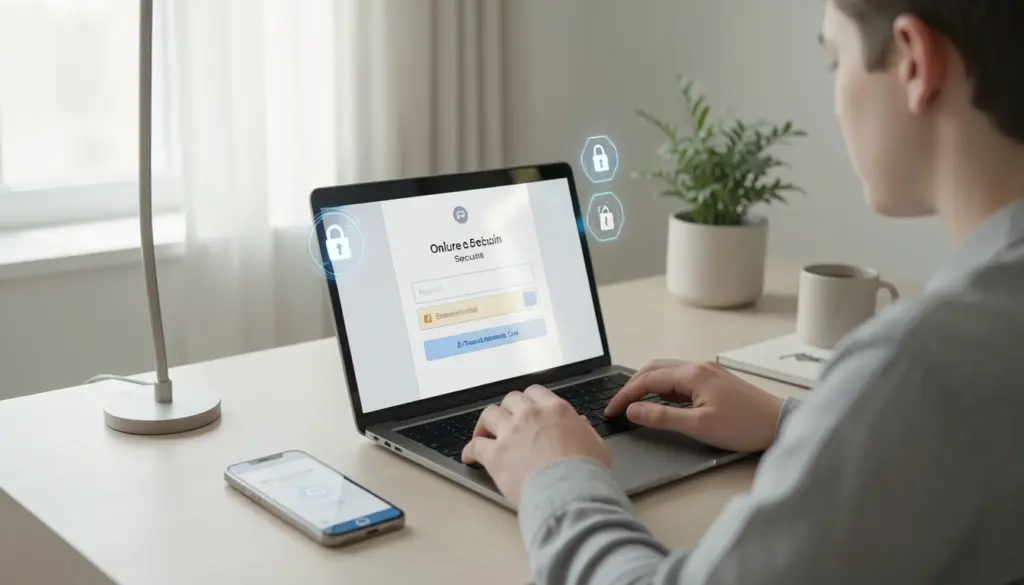
Every time you log into your bank account, shop online, or send a message, your personal information travels through digital systems that can be targeted by people with bad intentions. Most people never think about this until something goes wrong — a hacked email, a drained account, or a stolen identity.
Cybersecurity is the practice of protecting your devices, data, and online activity from unauthorized access and digital attacks. It sounds technical, but the fundamentals are something anyone can understand and apply. This guide walks you through what cybersecurity is, why it matters, what threats look like in real life, and exactly what you can do to protect yourself — no technical background required.
What Is Cybersecurity?
Cybersecurity refers to the methods, tools, and habits used to defend computers, networks, and data from attacks, theft, or damage. It covers everything from the password on your phone to the encryption protecting your credit card details during an online purchase.
At its core, cybersecurity is about keeping information safe. That includes your personal details (name, address, ID numbers), financial data (bank accounts, card numbers), private communications (emails, messages), and login credentials for accounts you rely on daily.
The field spans several areas: network security, data privacy, device protection, and user behavior. For everyday users, the most relevant parts are the ones that directly affect your digital life — and those are also the easiest to start with.
Why Cybersecurity Is Important
The more we rely on the internet, the more valuable our digital information becomes — and the more attractive it is to people who want to steal or exploit it.
Personal data is worth real money. Criminals sell stolen credentials on underground markets, use them to commit financial fraud, or hold them for ransom. A single data breach can expose your banking information, medical records, social security number, and login details all at once. The consequences range from drained bank accounts to years of dealing with identity theft.
Beyond financial loss, there’s a privacy dimension that often goes overlooked. When your accounts are compromised, attackers can impersonate you, access your private conversations, and damage relationships or your reputation. For businesses, a breach can mean regulatory fines and permanent loss of customer trust.
The risk isn’t just theoretical. Data breaches affect millions of people every year across every sector — healthcare, banking, retail, and government. The assumption that “it won’t happen to me” is exactly what attackers count on.
Common Types of Cyber Threats
Understanding what’s out there is the first step toward protecting yourself. Here are the threats most likely to affect regular internet users.
1. Malware
Malware is software designed to harm your device or steal your data. It can arrive through infected email attachments, downloaded files, or compromised websites. Once installed, malware can log your keystrokes, steal passwords, corrupt files, or give attackers remote access to your device.
2. Phishing
Phishing is one of the most widespread threats. Attackers send emails or messages that appear to come from a trusted source — your bank, a delivery company, or even a friend — and trick you into clicking a link or entering your credentials on a fake website. The messages often create urgency: “Your account will be suspended in 24 hours.” That pressure is intentional.
3. Ransomware
Ransomware is a type of malware that encrypts your files and demands payment to restore access. It has crippled hospitals, schools, and businesses, but individuals are targeted, too. Once your files are locked, recovering them without paying is often impossible if you don’t have backups.
4. Social engineering
Social engineering is manipulation rather than technical hacking. Attackers impersonate IT support, coworkers, or authority figures to pressure you into giving up sensitive information or access. It works because it exploits human trust, not technical weaknesses.
5. Data breaches
Data breaches happen when attackers gain unauthorized access to a company’s database containing user information. Even if you do everything right on your end, your data can be exposed through a breach at a service you use.
How Cyber Attacks Work (Simplified)
Most attacks follow a predictable pattern, and understanding it helps you recognize the warning signs before damage is done.
1# Entry point
Attackers need a way in. The most common routes are deceptive emails with malicious links or attachments, fake websites that mimic legitimate ones, unsecured public Wi-Fi networks, and software with unpatched security flaws. Many people assume attacks require sophisticated hacking skills — in reality, most succeed because they exploit simple human mistakes.
2# Exploiting behavior
Once the attacker has your attention, they need you to take an action — click a link, download a file, enter your password, or call a phone number. The attack works when you believe the message is legitimate.
3# Data theft
After gaining access, attackers move quietly. They might copy your stored passwords, financial details, or personal files. In some cases, they stay undetected for weeks or months, collecting information over time. In others, they act immediately — transferring funds, locking files, or selling your credentials.
Recognizing this chain — entry, manipulation, theft — helps you interrupt it at the earliest possible stage.
Basic Cybersecurity Best Practices
These are the habits that genuinely make a difference. Each one addresses a specific vulnerability that attackers commonly exploit.
Strong Passwords
A weak password is an open door. Passwords like “123456,” “password,” or your birthday can be cracked in seconds using automated tools. A strong password is long (at least 12 characters), random, and includes a mix of letters, numbers, and symbols.
More importantly, every account should have a different password. If you reuse the same password across multiple sites and one of them gets breached, attackers can try that password on your email, bank, and other accounts — a technique called credential stuffing.
Two-Factor Authentication
Two-factor authentication (2FA) adds a second verification step when you log in, usually a code sent to your phone or generated by an authentication app. Even if someone has your password, they can’t access your account without that second factor.
Enable 2FA on every account that offers it, starting with email and banking. Email access is especially critical — if an attacker gets into your email, they can reset passwords for every other account tied to it.
Safe Browsing Habits
Check that a website uses HTTPS (the padlock icon in your browser’s address bar) before entering any personal information. Avoid clicking links in unsolicited emails — instead, go directly to the website by typing the address yourself. Be skeptical of websites offering prizes, urgent warnings, or deals that seem too good to be true.
When using public Wi-Fi, treat it as unsafe. Avoid logging into sensitive accounts on public networks unless you’re using a VPN.
Software Updates
Software updates often contain patches for known security vulnerabilities. When you skip updates, you leave those vulnerabilities open — and attackers actively scan for unpatched systems. Enable automatic updates on your operating system, browser, and apps wherever possible.
Avoiding Suspicious Links
Before clicking any link, hover over it to preview the actual URL. A message appearing to be from your bank might link to something like “yourbank-security-alert.net” rather than the real domain. When in doubt, don’t click — go directly to the website or contact the company through an official channel.
Essential Tools for Online Security
Several tools make protecting yourself significantly easier. You don’t need all of them at once, but knowing what they do helps you decide where to start.
Antivirus software
Antivirus software scans your device for known malware and blocks malicious files before they can do damage. Modern antivirus tools do much more than scan for viruses — they monitor behavior, block suspicious websites, and alert you to potential threats in real time. Yes, you still need antivirus software, even if you consider yourself careful online.
Firewalls
Firewalls act as a barrier between your device or network and incoming internet traffic. They block unauthorized connection attempts and are especially important for home networks. Most operating systems include a built-in firewall — make sure it’s enabled.
VPNs (Virtual Private Networks)
VPNs (Virtual Private Networks) encrypt your internet traffic and mask your IP address, making it much harder for third parties to intercept your activity. They’re particularly useful on public Wi-Fi networks and for maintaining privacy when browsing.
Password managers
Password managers store all your passwords in an encrypted vault, so you only need to remember one master password. They also generate strong, unique passwords for every site automatically, which removes the temptation to reuse passwords. This is one of the highest-impact tools a regular user can adopt.
Common Cybersecurity Mistakes to Avoid
Knowing what not to do is just as important as knowing best practices. These are the errors that most commonly lead to compromised accounts and stolen data.
- Reusing passwords is the most dangerous habit. A single breach can give attackers access to dozens of your accounts if you use the same password across them. Use a password manager to make unique passwords effortless.
- Ignoring software updates leaves known vulnerabilities open. Attackers specifically target outdated software because the weaknesses are publicly documented.
- Clicking without thinking is how phishing works. Many people click links in emails out of habit or urgency without checking whether the source is genuine. Slow down, read carefully, and verify before acting.
- Oversharing personal information online gives attackers the raw material for social engineering attacks. Your birth date, hometown, mother’s maiden name, and pet’s name are all commonly used in security questions — and commonly posted on social media.
- Using public Wi-Fi without protection exposes your traffic to anyone on the same network. Always use a VPN or avoid sensitive transactions on public connections.
Simple Daily Habits to Stay Secure
Cybersecurity doesn’t have to feel like a burden. Most of what keeps you safe comes down to consistent, simple habits.
- Lock your devices when you step away, even at home.
- Log out of accounts on shared or public computers.
- Check your accounts regularly for transactions or activity you don’t recognize.
- Back up important data — either to an external drive or a trusted cloud service. If ransomware hits, backups mean you can recover without paying.
- Be skeptical of urgency. Legitimate organizations don’t pressure you to act within minutes. If a message feels rushed or threatening, treat it as a red flag.
- Think before you share. Before posting personal details online, consider who can see them and whether they could be used against you.
- Use a separate email address for online shopping and newsletters, keeping your primary inbox cleaner and reducing exposure to breaches of retail services.
None of these requires technical knowledge. They require awareness and a small shift in how you approach your digital life.
FAQs
What is phishing, and how can I spot it?
Phishing is when attackers send messages pretending to be from a trusted source — a bank, a retailer, or even a colleague — to trick you into handing over your credentials or clicking a malicious link. Red flags include unexpected urgency, generic greetings, mismatched email domains, and links that don’t match the supposed sender’s website.
How do strong passwords actually help?
Attackers use automated tools that can try thousands of password combinations per second. Short, common, or predictable passwords can be cracked almost instantly. A long, random, unique password is exponentially harder to break and makes automated attacks impractical.
What should I do if my data has been breached?
Change your passwords immediately, starting with email and banking accounts. Enable two-factor authentication on critical accounts. Check your financial statements for unusual activity and consider placing a fraud alert with your credit bureau. Websites like HaveIBeenPwned.com let you check whether your email address has appeared in known breaches.
Is a VPN necessary for everyday use?
A VPN is most valuable on public Wi-Fi networks, where your traffic could otherwise be intercepted. For everyday home use, it’s optional — but it does add a meaningful layer of privacy, especially from your internet service provider and advertisers.
What is two-factor authentication, and why does it matter?
Two-factor authentication requires you to verify your identity through a second method after entering your password — usually a code from your phone. It means that even if an attacker has your password, they still can’t get in without physical access to your second factor. It’s one of the most effective defenses available.
How do I know if a website is safe to use?
Look for “https://” at the beginning of the URL and a padlock icon in your browser’s address bar. These indicate the connection is encrypted. However, HTTPS alone doesn’t guarantee the site is trustworthy — also check that the domain name matches the company exactly, and avoid sites that look poorly designed or pressure you urgently.