

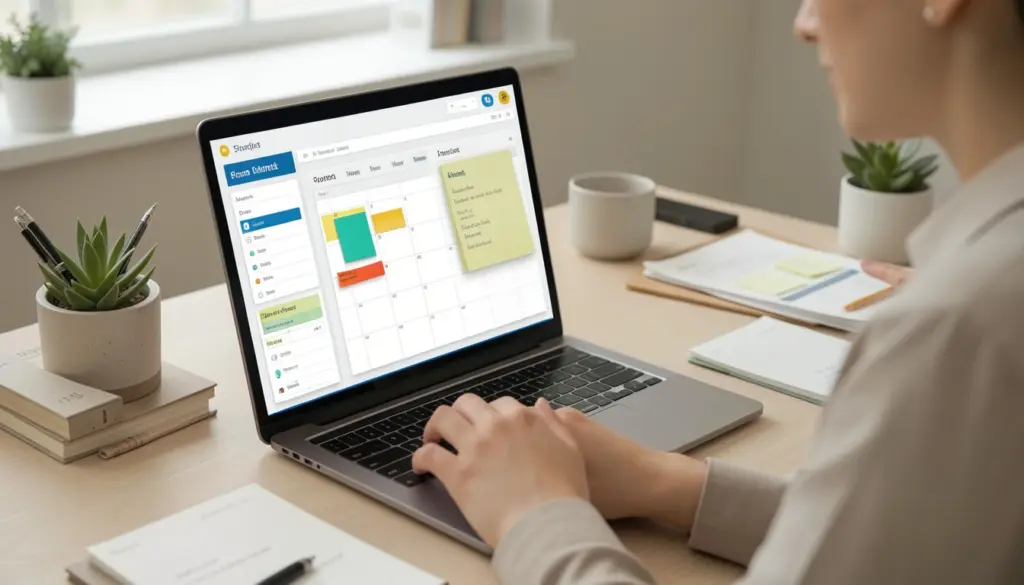
Most professionals are not short on tools. They have task managers, note-taking apps, calendars, and messaging platforms — yet still feel like they are constantly reacting instead of making real progress. The problem is rarely a lack of tools. It is the absence of a system.
A digital productivity system is a structured approach to capturing, organizing, and completing work using digital tools. Unlike a simple to-do list or a single app, a system ties together your entire workflow into something repeatable, reliable, and clear.
This guide explains what digital productivity systems are, why they work, which frameworks professionals use, and how to build one that fits the way you actually work.
What Are Digital Productivity Systems?
A digital productivity system is a coordinated set of practices and tools that manages how work moves from idea to completion. It defines where information goes, how tasks are prioritized, and when execution happens — all within a consistent structure.
The distinction between a tool and a system matters. A tool like Notion or Trello is software. A system is the logic behind how that software is used. You can use the same tool with no system and get chaos, or with a well-designed system and get clarity.
At its core, a productivity system answers three questions: Where do I capture new information? How do I decide what to work on next? How do I make sure nothing falls through the cracks?
Why Productivity Systems Matter in Modern Work
Digital work is complex in a way that earlier generations of workers simply did not face. A typical professional today manages multiple projects simultaneously, communicates across several platforms, and is expected to shift between deep thinking and quick responses throughout the day.
Without a system, this complexity creates cognitive overload. Every decision — What do I work on now? Did I follow up on that email? Where did I save that document? — consumes mental energy that could go toward actual work. Researchers who study decision-making often refer to this as decision fatigue, and it quietly reduces performance across the board.
A well-built productivity system reduces that cognitive load by removing ambiguity. When your workflow has clear rules — a consistent place to capture tasks, a reliable method for prioritization, a regular review cycle — your brain spends less energy managing logistics and more energy doing meaningful work.
Core Components of a Digital Productivity System
Regardless of which framework or tools you use, effective digital productivity systems share five core components.
Capture
Every system starts with a reliable way to collect incoming information. Tasks, ideas, meeting notes, project requests — all of it needs to go somewhere immediately and consistently. The goal is to get information out of your head and into a trusted location before it gets lost.
This might be a dedicated inbox in Todoist, a quick-capture note in Notion, or a voice memo that gets reviewed later. What matters is that the capture method is fast, accessible, and actually used.
Organize
Once captured, information needs to be sorted into a structure that makes sense. This means assigning tasks to projects, tagging notes by context, and separating active work from reference material. An organization creates the clarity that makes future retrieval and decision-making effortless.
Prioritize
Not all tasks deserve equal attention. A strong system includes a method for deciding what gets done first, what gets scheduled, what gets delegated, and what gets dropped entirely. The Eisenhower Matrix — which separates tasks by urgency and importance — is one widely used tool for this step.
Execute
Execution is where the system pays off. With tasks organized and prioritized, the focus during working hours becomes doing rather than deciding. Many professionals use time blocking here, assigning specific tasks to specific windows in their calendar to protect focused work time.
Review
No system runs without maintenance. A regular review — typically weekly — allows you to assess what was completed, update priorities, process your capture inbox, and prepare for the week ahead. This review cycle is what keeps the system from becoming outdated and overwhelming.
Popular Productivity Frameworks Explained
Several well-tested frameworks give structure to how a productivity system is built. Understanding their differences helps you choose the right foundation.
Getting Things Done (GTD)
Developed by David Allen, GTD is built on the idea that your mind is for having ideas, not holding them. The system involves capturing everything into a trusted external system, clarifying what each item requires, organizing it by context and project, reviewing regularly, and engaging with work based on what makes sense in the moment.
GTD works well for professionals managing high volumes of varied work — client communications, projects, reference material, and personal commitments — all in one system.
PARA Method
Created by Tiago Forte, PARA organizes all digital information into four categories: Projects (active work with a deadline), Areas (ongoing responsibilities), Resources (reference material by topic), and Archives (inactive items). It is designed to work across multiple tools and gives a consistent structure to both tasks and notes.
PARA pairs well with knowledge management tools like Notion or Evernote, where information needs to be both stored and retrieved efficiently.
Time Blocking
Time blocking is less of a full system and more of a scheduling method that integrates with other frameworks. Rather than working from an open-ended task list, you assign specific tasks to specific time slots in your calendar. This turns your calendar into an execution plan and makes it much harder for reactive work to displace meaningful projects.
Kanban
Originally developed in manufacturing, Kanban visualizes work as cards moving through stages — typically “To Do,” “In Progress,” and “Done.” Tools like Trello and Asana make Kanban easy to apply to both individual and team workflows. It provides immediate workflow visibility and helps identify where work is getting stuck.
Tools That Power Digital Productivity Systems
Tools support your system — they should not define it. That said, the right tools make implementation significantly easier.
Task managers like Todoist, Asana, and Trello handle the capture, organization, and execution of tasks. They allow you to build projects, set deadlines, assign priorities, and track progress across multiple workstreams.
Note-taking and knowledge tools like Notion and Evernote serve as the information layer of a system — storing meeting notes, reference documents, templates, and project briefs in an organized, searchable format.
Calendar systems like Google Calendar provide the scheduling layer. When combined with time blocking, a calendar becomes one of the most powerful tools in a productivity system, not just for meetings but for focused work sessions.
Workflow automation tools like Zapier or native integrations between apps reduce the manual overhead of moving information between systems. Automating recurring tasks — like creating a weekly review template or logging completed tasks — keeps the system running with less friction.
The most effective setups do not use the most tools. They use the fewest tools that cover each layer of the system without overlap or confusion.
How to Build Your Own Digital Productivity System
Building a system from scratch feels daunting, but it follows a logical sequence.
Step 1 — Audit your current workflow. Before adding structure, understand what currently happens. Where do tasks come from? Where do they get lost? What does your typical workday look like?
Step 2 — Define your capture method. Choose one primary place where all incoming tasks and information go. It should be fast to access and easy to review.
Step 3 — Choose a framework. Based on your work type, select a framework as your foundation. GTD suits high-volume, varied work. PARA suits knowledge workers with lots of reference material. Kanban suits project-driven or team work.
Step 4 — Select your tools. Choose tools that map to your framework — one for tasks, one for notes if needed, and one for scheduling. Keep it simple at first.
Step 5 — Set up your organization structure. Create your project list, area categories, or Kanban board. Migrate existing tasks and information into the new structure.
Step 6 — Schedule a weekly review. Block time once a week to process your capture inbox, update project statuses, and plan the coming week. Without this, the system degrades quickly.
Step 7 — Run it for four weeks before changing anything. Most systems fail not because they were wrong but because they were abandoned before they had time to work. Commit to the structure before making adjustments.
Common Mistakes to Avoid
Over-collecting tools. Adding a new app every time the current one feels uncomfortable is one of the most common productivity traps. Each tool requires maintenance, and too many tools fragment attention rather than consolidate it.
Building a system for an ideal version of yourself. A system that requires two hours of daily maintenance, color-coded labeling, and elaborate note hierarchies will collapse under real work conditions. Start simple.
Skipping the review. The weekly review is the maintenance cycle of the entire system. Without it, your capture inbox overflows, priorities go stale, and the system stops reflecting reality.
Mistaking setup for progress. Organizing Notion, designing Kanban boards, and formatting project templates can feel productive. It is not the same as completing work. The system exists to support execution — not replace it.
How to Maintain and Improve Your System Over Time
A productivity system is not a one-time setup. It needs regular maintenance and occasional refinement to stay useful as your work changes.
The weekly review is your primary maintenance tool. During this session, process everything in your capture inbox, check project statuses, confirm upcoming deadlines, and plan your priorities for the next seven days. Fifteen to thirty minutes consistently is far more valuable than a two-hour overhaul once a month.
Beyond the weekly review, pay attention to friction points. If you consistently avoid updating a particular tool, or if a certain part of the workflow feels awkward, that signals something needs adjusting. The goal is a system that requires minimal effort to maintain because it fits naturally into how you work.
Every few months, do a broader review of whether your structure still matches your actual responsibilities. Projects end, new areas of work emerge, and tools get updated. A system that reflects your current reality stays useful. One that reflects how things worked six months ago becomes a source of stress rather than clarity.
FAQs
What is the difference between a productivity system and a to-do list?
A to-do list is a collection of tasks. A productivity system is the complete structure that governs how work is captured, organized, prioritized, and executed — with a to-do list being just one component of it.
Do I need to use all of GTD or PARA, or can I use parts of them?
You can absolutely use parts. Many professionals combine elements — using GTD’s capture and review practices with PARA’s organizational structure, for example. The framework should serve you, not the other way around.
How long does it take to build a working productivity system?
A basic system can be functional within a few hours of setup. However, it typically takes four to six weeks of consistent use before it becomes second nature and you start seeing meaningful results.
Can digital productivity systems work for teams, not just individuals?
Yes. Tools like Asana, Trello, and Notion are designed for team use. The key is agreeing on shared conventions — how tasks are named, how projects are structured, and how progress is tracked — so the system creates visibility rather than confusion.
What if I try a system and it stops working?
That is normal. Work changes, and systems need to change with it. When a system stops working, review the friction points, simplify wherever possible, and adjust the structure. A system that evolves is healthier than one that was set up once and never touched again.
Are productivity systems useful for creative or unstructured work?
Yes, though the implementation looks different. For creative professionals, a system is less about rigid scheduling and more about protecting time for deep work, managing reference material effectively, and maintaining clarity on project status — all of which apply regardless of how structured the work itself is.