

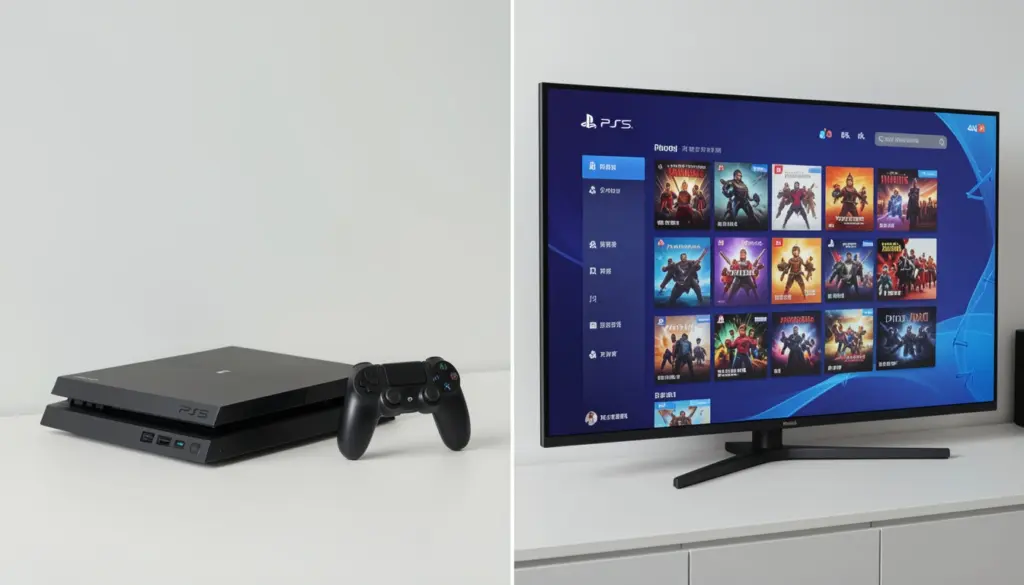
Paying for individual games at $60–$70 a pop used to be the only option. Now, two of the biggest names in gaming—Microsoft and Sony—offer subscription services that promise hundreds of games for a flat monthly fee. The pitch sounds great. The decision, however, is less obvious.
Xbox Game Pass and PlayStation Plus sit at the center of almost every “which subscription should I get?” conversation, and for good reason. They represent fundamentally different philosophies about what a gaming subscription should be. One bets heavily on day-one access and first-party releases. The other leans into a tiered catalog model with monthly free games.
This guide breaks down both services honestly—pricing, game libraries, cloud gaming, and real-world value—so you can choose the one that actually fits how you play.
What Are Gaming Subscription Services?
Gaming subscription services work like streaming platforms, but for games. Instead of buying titles individually, you pay a recurring fee to access a rotating or evergreen catalog of games as long as your subscription stays active.
The appeal is obvious: for roughly the cost of one new release per month, you can potentially play dozens of games. For players who like to experiment with different genres or simply don’t have the budget to buy everything at full price, this model makes a lot of financial sense.
The catch is that you don’t own any of those games. If a title leaves the catalog or you cancel your subscription, access disappears. Still, for most players, the trade-off is worth it—especially as these libraries have grown significantly in recent years.
Xbox Game Pass Explained
Xbox Game Pass is Microsoft’s subscription service, and it has earned a strong reputation as one of the most compelling offers in gaming. The core appeal: Microsoft’s first-party titles—including games from Bethesda and other acquired studios—arrive on Game Pass on the same day they launch at retail.
Pricing tiers:
- Game Pass Core (formerly Xbox Live Gold): ~$9.99/month. Primarily for online multiplayer access and a rotating selection of older games.
- Game Pass Standard: ~$14.99/month. Access to a large catalog of games, but it does not include day-one first-party releases.
- Game Pass Ultimate: ~$19.99/month. The full package—console, PC, cloud gaming via Xbox Cloud Gaming, EA Play membership, and day-one access to Microsoft’s first-party releases.
- PC Game Pass: ~$11.99/month. Focused on Windows PC players.
The standout feature of Game Pass Ultimate is the day-one release model. Games from Xbox Game Studios—titles like Halo, Forza, Starfield, and Indiana Jones and the Great Circle—arrive in the catalog on launch day at no extra cost. For players who mainly play Microsoft exclusives, this alone can justify the subscription cost.
Xbox Cloud Gaming (included in Ultimate) lets subscribers stream games directly to phones, tablets, and browsers—useful for playing on devices that can’t run games natively.
PlayStation Plus Explained
PlayStation Plus is Sony’s answer to the subscription model, rebuilt and relaunched in 2022 with a three-tier structure designed to serve different types of players.
Pricing tiers:
- PS Plus Essential: ~$9.99/month. The baseline tier. Includes online multiplayer access and two to three monthly free games that you can claim and keep (as long as you stay subscribed).
- PS Plus Extra: ~$14.99/month. Everything in Essential, plus access to a catalog of hundreds of PS4 and PS5 games available to download and play on demand.
- PS Plus Premium: ~$17.99/month. Adds game streaming (PS streaming), a catalog of PS3 games via cloud streaming, classic PlayStation titles from PS1/PS2/PSP, and time-limited game trials.
The monthly free games system remains one of PS Plus’s most popular features. Each month, Sony adds a small selection of games—often including recent or highly regarded titles—that subscribers can claim and add to their library. These stay in your account as long as you maintain a subscription.
Sony’s approach to first-party exclusives on PS Plus differs notably from Microsoft’s. PlayStation exclusives like Spider-Man 2, God of War, and The Last of Us series are not typically added to PS Plus Extra or Premium at launch. They usually arrive months or years later. Players who want Sony’s biggest titles on day one still need to buy them outright.
Xbox Game Pass vs PS Plus — Key Differences
This is where the real comparison lives. Both services offer access to large game libraries, but their structures, strengths, and value propositions differ in meaningful ways.
Game Library
Game Pass Ultimate and PC Game Pass offer access to over 400 games, with the crucial advantage being day-one access to all Xbox Game Studios releases. If you’re a fan of Microsoft’s first-party output, the catalog keeps growing without additional cost.
PS Plus Extra and Premium offer a larger raw catalog—often cited at 400–700+ titles depending on the tier—but the quality of what’s available rotates more frequently. The catalog includes strong third-party titles and Sony exclusives that have aged into the service over time, but you won’t find Sony’s biggest current releases there.
Verdict: Game Pass wins on day-one access. PS Plus Extra/Premium wins on sheer catalog variety, especially for players who enjoy older Sony exclusives and third-party games.
Pricing
At comparable tiers, the services are similarly priced. Game Pass Ultimate at ~$19.99/month is slightly more expensive than PS Plus Premium at ~$17.99/month, but Game Pass Ultimate bundles EA Play (normally ~$4.99/month separately), which partially offsets the difference.
Annual subscriptions reduce the monthly cost meaningfully for both services.
Day-One Releases
This is Game Pass’s clearest advantage. Every Xbox Game Studios title arrives on Game Pass on launch day. Sony does not offer this for its major exclusives on PS Plus.
Cloud Gaming
Both services offer game streaming, but with different scopes. Xbox Cloud Gaming (Game Pass Ultimate) supports a wide selection of titles from the Game Pass library and works well across devices. PS streaming on Premium is more limited in catalog size and relies on older server-side hardware, which can affect performance.
Game Pass has the stronger cloud gaming offering at this point.
Platform Support
Game Pass works across Xbox Series X/S, Xbox One, Windows PC, and via cloud streaming on other devices. It’s particularly strong for players who game on both console and PC.
PS Plus is built for PlayStation. PS5 and PS4 are fully supported. There’s no native PC gaming option—the streaming component works in a browser, but it’s not the same as native PC play.
Game Library Comparison — Quality vs Quantity
Numbers alone don’t tell the full story. A catalog of 700 games sounds impressive until you realize that many are older titles you’ve already played or have no interest in.
Game Pass focuses on quality and freshness. Microsoft’s strategy of bringing every first-party release to the service on day one means the catalog constantly updates with headline titles. Bethesda’s library—Fallout, The Elder Scrolls, Doom, Dishonored—is fully accessible. Independent games and third-party deals round out the selection.
PS Plus Extra and Premium offer a strong variety, particularly in Sony’s own back catalog. God of War, Horizon, Ghost of Tsushima, Returnal, and many other well-regarded PlayStation exclusives are available after they’ve moved past their launch window. For players who missed these games initially, it’s genuinely excellent value.
The content rotation model means both services add and remove titles periodically. Game Pass tends to announce departures with some notice, giving subscribers a chance to finish games before they leave. PS Plus operates similarly to its Extra/Premium catalog.
Pricing and Value for Money
The honest way to evaluate subscription value is to look at what you’d actually play—not what’s theoretically available.
If you play two to three games per month and each would cost $30–$70 to buy, a $15–$20 subscription pays for itself quickly. The math works easily for active players.
For casual gamers who might play one game a month or take breaks between gaming sessions, the calculus changes. A PS Plus Essential subscription at $9.99/month for online access and monthly free games may deliver better value than a premium tier with hundreds of games you’ll never touch.
Long-term cost matters too. If you stay subscribed for three years, Game Pass Ultimate costs roughly $720. That buys a significant number of individual games. The subscription wins only if you’re consistently using it.
Cost-per-game logic: The more you play, the more either subscription justifies itself. The less you play, the more you’re paying for availability rather than actual use.
Both services offer discounts on annual plans and occasionally run promotional pricing for new subscribers.
Other Gaming Subscription Services Worth Considering
The conversation doesn’t end with Game Pass and PS Plus. Several alternatives serve specific types of players well.
Nintendo Switch Online (~$3.99/month or $19.99/year) is the most affordable option in the market. It covers online multiplayer for Switch games and includes access to classic NES, SNES, N64, and Sega Genesis titles. The Expansion Pack tier adds Game Boy, Game Boy Advance, and Nintendo 64 games, plus DLC for select titles like Animal Crossing. It’s not trying to compete with Game Pass or PS Plus on game count—it’s a focused service for Switch players.
EA Play (~$4.99/month or $29.99/year) gives access to a rotating catalog of EA games, early access trials for new releases, and discounts on EA purchases. It’s included with Game Pass Ultimate, making it redundant if you already subscribe there. On its own, it’s a good value for fans of EA’s sports titles, Battlefield, Star Wars Jedi, or Mass Effect.
Ubisoft+ (~$17.99/month) offers access to Ubisoft’s full library, including day-one access to new Ubisoft releases. For heavy Ubisoft fans, this can be worthwhile. For everyone else, it’s a narrow catalog at a premium price.
Which Subscription Is Best for You?
The right answer depends on how you play, what you play, and which platform you’re on.
Casual gamers who play a few hours a week and prefer variety without spending much: PS Plus Essential or Extra is a reasonable fit. The monthly free games add up, and the Extra catalog provides plenty of options without requiring constant engagement.
Hardcore gamers who want access to the latest releases and play frequently: Game Pass Ultimate is hard to beat. Day-one access to Microsoft’s first-party lineup, EA Play, and cloud gaming make it the most feature-rich option.
Budget players focused on online multiplayer: Both PS Plus Essential and Game Pass Core cover online access at the lowest tier. Nintendo Switch Online wins on price if you’re a Switch player.
PC gamers who primarily play on Windows: PC Game Pass is one of the best deals in gaming. A large and growing library of games, including all Xbox Game Studios titles, available on PC, for ~$11.99/month.
Console-specific users who only play PlayStation: PS Plus Extra or Premium make the most sense. There’s no reason to pay for Game Pass if you don’t own an Xbox or Windows PC.
Common Mistakes When Choosing a Gaming Subscription
A few missteps come up frequently when people pick a service.
Overpaying for unused tiers. If you don’t play online multiplayer or stream games to your phone, Game Pass Ultimate’s premium features go to waste. Dropping to a lower tier often delivers the same practical value for less money.
Choosing based on catalog size alone. A service advertising 700+ games sounds better than one with 400. But if 600 of those games don’t interest you, the number is meaningless. Look at the specific games in the catalog, not just the total count.
Ignoring platform compatibility. Game Pass is a poor choice if you only own a PlayStation. PS Plus doesn’t help you on Xbox. Make sure the service actually works with your hardware before subscribing.
Assuming the catalog stays the same. Both services rotate titles in and out. A game available today may be gone next month. If there’s a specific title you want to play, check whether it’s currently in the catalog before subscribing just for that game.
Final Thoughts
Game Pass and PS Plus are genuinely good services, but they’re built for different players.
Game Pass Ultimate—and PC Game Pass specifically—offers the stronger day-one value, especially if you’re drawn to Microsoft’s first-party output or play across both console and PC. The inclusion of EA Play and cloud gaming through Xbox Cloud Gaming adds real depth to the package.
PS Plus earns its place through variety and its monthly free games model. The Extra and Premium tiers house an excellent collection of PlayStation exclusives that have aged into the catalog, making them accessible to players who missed them at launch. For PlayStation-only households, it’s the logical choice.
Neither service is a universal answer. The best subscription is the one that matches your platform, your play habits, and the games you actually want to play. Start with a monthly subscription, see how much of the catalog you use in the first 30 days, and then decide whether to commit to an annual plan.
FAQs
Is Xbox Game Pass better than PS Plus?
It depends on your platform and how you play. Game Pass is stronger for day-one first-party releases and PC gaming. PS Plus is the right choice for PlayStation-focused players who want access to Sony’s back catalog.
Does PS Plus include free games every month?
Yes. PS Plus Essential and above include two to three monthly free games that subscribers can claim and keep in their library as long as the subscription remains active.
Can I play online without PS Plus or Game Pass?
Most online multiplayer on PlayStation requires PS Plus Essential. Xbox requires Game Pass Core or above. Free-to-play games are an exception—titles like Fortnite and Warzone don’t require a paid subscription for online play on either platform.
What is the difference between PS Plus Extra and Premium?
PS Plus Extra adds a large on-demand game catalog to the Essential tier. Premium adds everything in Extra, plus game streaming, PS3 titles via cloud, classic PlayStation games, and time-limited game trials.
Is Game Pass available on PC?
Yes. PC Game Pass is a separate, PC-focused tier at ~$11.99/month. Game Pass Ultimate also includes PC access alongside console and cloud gaming.
Which subscription is the cheapest long-term?
Nintendo Switch Online is the most affordable overall. Between Game Pass and PS Plus, annual plans for comparable tiers are similarly priced. The better long-term value depends on how actively you use the service.