

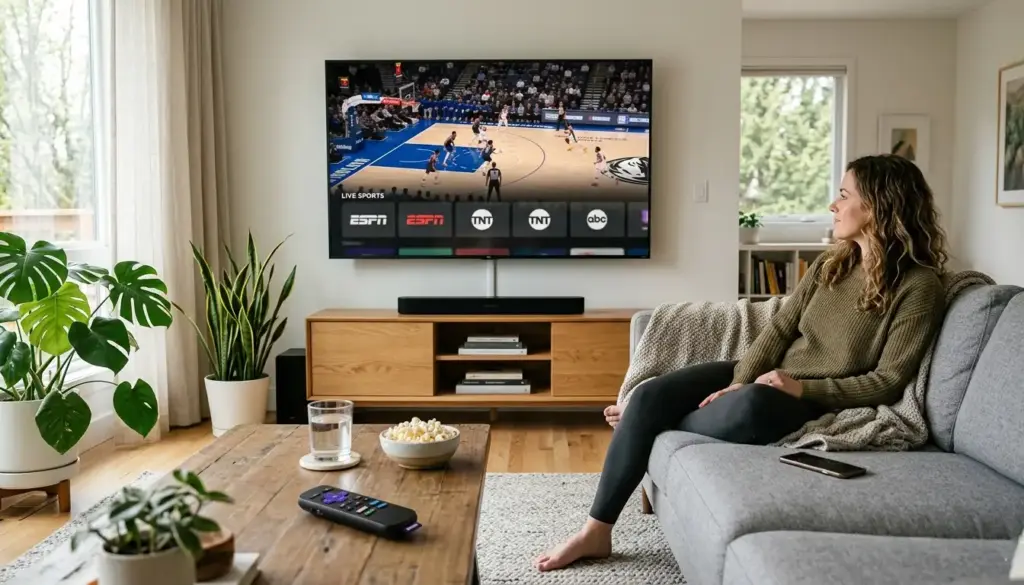
Cable TV built its entire value proposition around live sports. For decades, that strategy worked — if you wanted to watch the NFL playoffs or the NBA Finals, you paid the monthly bill and accepted the bundled channels you’d never touch. That deal no longer makes sense for most households.
Live TV streaming services now carry the same broadcast networks, sports channels, and regional coverage that cable once monopolized — often for half the price and without a long-term contract. Whether you follow football, basketball, baseball, or hockey, there’s a legal streaming setup designed for exactly what you need. This guide walks you through every piece of it: the best platforms, which services cover which sports, the cheapest combinations that actually work, and how to get everything running on your devices.
Why You Don’t Need Cable for Live Sports Anymore
The shift happened gradually, then all at once. Streaming companies began acquiring live sports broadcasting rights in the early 2010s, and by the mid-2020s, nearly every major league had deals spread across multiple streaming platforms.
The NFL now distributes games across Amazon Prime Video, Peacock, ESPN+, and traditional broadcast networks — all of which are available through streaming. The NBA has deals with ESPN/ABC and NBC, both of which are available via live TV streaming services. MLB and NHL content is similarly distributed across broadcast and streaming platforms.
What this means practically: the content that kept people paying $100+ per month for cable is now available through a combination of streaming apps that cost significantly less. A well-chosen streaming setup in 2026 typically runs between $25 and $75 per month — compared to $80–$150 for a cable package with sports tiers.
The other shift worth understanding is how live TV streaming services work. Platforms like YouTube TV, Hulu + Live TV, and FuboTV aren’t just on-demand libraries — they carry live channels in real time, including ESPN, Fox Sports, NBC Sports, CBS, and ABC. You watch the same game at the same time, just through an app instead of a cable box.
Best Legal Streaming Services for Live Sports in 2026
There are two categories of sports streaming services worth knowing: full live TV packages and sports-specific add-ons. The best setups usually combine both.
Full Live TV Streaming Services
YouTube TV is the most well-rounded option for sports fans. It includes ESPN, ESPN2, Fox Sports 1 & 2, CBS, NBC, ABC, and TNT — all in a single subscription — covering the NFL, NBA, MLB, and NHL. The unlimited cloud DVR is a genuine advantage for recording games you can’t watch live. It runs around $72–$73/month as of 2026.
Hulu + Live TV offers a comparable channel lineup to YouTube TV and includes ESPN+ and Disney+ in the base price, which adds value if you’re also an NFL Sunday and MLS fan. The bundled streaming content makes it easier to justify the monthly cost if your household watches more than just sports.
FuboTV was built specifically with sports fans in mind. It carries a strong selection of sports channels, including international football (soccer) coverage that competitors often lack. FuboTV also includes 4K streaming for select events. It’s particularly strong for MLB and international sports coverage.
Sling TV is the most affordable full live TV option, starting around $40–$46/month. It splits its channel lineup across two base packages — Sling Orange (includes ESPN) and Sling Blue (includes Fox Sports and NBC Sports) — so many sports fans subscribe to both, bringing the total to around $55–$60/month. It doesn’t include local CBS by default, which matters for NFL coverage in some markets.
Sports-Specific Streaming Services
ESPN+ carries exclusive NFL games (select Monday Night Football matchups), NHL games, UFC, tennis Grand Slams, and college sports. At roughly $11–$13/month, it fills coverage gaps without requiring a full live TV package.
Peacock (from NBCUniversal) streams exclusive NFL games, Premier League football, and some NASCAR events. It’s a necessary add-on for certain NFL matchups that aren’t available elsewhere.
Amazon Prime Video carries Thursday Night Football exclusively. If you already have a Prime subscription, TNF is included at no extra cost — making it one of the most cost-efficient sports streaming situations available.
Apple TV+ holds the rights to Friday Night Baseball (MLB) and MLS Season Pass. For baseball and soccer fans, it’s a low-cost addition to any setup.
DAZN focuses on boxing and combat sports, making it a targeted subscription rather than an everyday sports app.
Which Service Covers Which Sports?
This is where most cord-cutting guides fall short. The channel exists on the service, but that doesn’t always mean the game you want is available. Here’s a sport-by-sport breakdown.
NFL
NFL coverage is the most fragmented across streaming:
- Sunday afternoon games (CBS/Fox): Available on YouTube TV, Hulu + Live TV, FuboTV, Sling Blue (Fox only), and local antenna
- Sunday Night Football (NBC/Peacock): Peacock carries exclusive SNF games; NBC is on most live TV services
- Monday Night Football (ESPN/ABC): YouTube TV, Hulu + Live TV, FuboTV; some games air on ESPN+ exclusively
- Thursday Night Football (Prime Video): Amazon Prime Video only
- NFL Playoffs and Super Bowl: Rotates across CBS, Fox, NBC, ESPN — all available through major live TV services
Best setup for NFL fans: YouTube TV or Hulu + Live TV + Peacock + Amazon Prime Video. All four major NFL broadcast partners covered.
NBA
The NBA moved away from ESPN/Turner in 2025, splitting rights between ESPN/ABC and NBC. This means:
- ESPN/ABC games: YouTube TV, Hulu + Live TV, FuboTV, Sling Orange
- NBC/Peacock games: Peacock + any service carrying NBC
- NBA League Pass: Streams out-of-market games directly; available as a standalone app
Best setup for NBA fans: YouTube TV or Hulu + Live TV covers most games. Add Peacock for NBC-exclusive matchups.
MLB
MLB content is spread across several platforms:
- Fox/FS1 games: Available on FuboTV, YouTube TV, Hulu + Live TV
- ESPN games: Same services above
- Apple TV+ Friday Night Baseball: Apple TV+ subscription
- MLB.TV: Streams out-of-market games (blackout restrictions apply for local games)
Regional Sports Networks (RSNs) are a separate issue entirely. Local team broadcasts — say, the Cubs on Marquee or the Yankees on YES — are often not included in live TV streaming packages. Some RSNs have launched their own direct-to-consumer apps, but coverage is inconsistent depending on your market.
NHL
NHL games air across ESPN, ABC, TNT, TBS, and Max (HBO Max):
- ESPN/ABC games: YouTube TV, Hulu + Live TV, FuboTV
- TNT/TBS/Max games: Max subscription, or services that include Turner channels
- NHL.TV / ESPN+: ESPN+ includes some out-of-market NHL games as part of the ESPN bundle
Cheapest Way to Watch Live Sports Without Cable
You don’t need to spend $70/month to follow your favorite teams. Here are three budget tiers with real-world combinations.
Budget Setup (~$25–$35/month)
- Sling Orange + Blue: ~$55/month, but starting with just one package at ~$40 covers a lot
- Add an OTA (over-the-air) antenna for free local CBS, NBC, Fox, and ABC — NFL Sunday games, NBA Finals on ABC, and MLB World Series, all broadcast on free local TV
- Amazon Prime (if already subscribed) adds Thursday Night Football at no additional cost
An antenna + Sling Orange + Amazon Prime covers the vast majority of NFL, NBA, and MLB content for under $45/month total.
Mid-Range Setup (~$50–$65/month)
- YouTube TV: ~$72/month (includes most sports channels)
- Add Peacock (~$8/month) for exclusive SNF and NBC games
- Total: ~$80/month, but covers virtually every major sports broadcast
Premium Setup (~$75–$100+/month)
- YouTube TV + ESPN+ + Peacock + MLB.TV or NBA League Pass
- Best for fans who follow multiple leagues and want out-of-market access
Free legal options do exist, though they’re limited. Tubi and Pluto TV carry some sports content, and Peacock’s ad-supported tier has expanded its sports access. An OTA antenna remains the most underused tool — it’s a one-time purchase of $20–$50 that delivers free local channels indefinitely.
How to Set Up Your Sports Streaming System
Getting everything working is simpler than it looks. Here’s a practical four-step setup.
Step 1: Decide which sports you actually watch. Before subscribing to anything, write down the leagues and teams you follow regularly. NFL-only fans need a different setup than someone watching NFL, NBA, and Premier League. This step prevents overspending on channels you won’t use.
Step 2: Pick your primary platform. For most sports fans, one live TV streaming service (YouTube TV, Hulu + Live TV, or FuboTV) covers 80–90% of content needs. Choose based on which sports channels matter most and whether regional channels are available in your market.
Step 3: Identify the gaps and add-ons. Check which games aren’t covered by your primary service, then add only the specific apps that fill those gaps. Peacock for NBC games. Amazon Prime for TNF. Apple TV+ for MLB Fridays. Avoid subscribing to everything at once.
Step 4: Choose a streaming device and install your apps. Any modern smart TV (Samsung, LG, Sony) supports the major streaming apps natively. If your TV is older, a Roku Streaming Stick, Amazon Fire TV Stick, or Apple TV device adds full app support for under $50. All major live sports streaming services are available on these devices.
Devices You Need for Smooth Streaming
Most streaming services work across a wide range of hardware:
Smart TVs from major brands come with built-in app stores. YouTube TV, Hulu, FuboTV, and ESPN+ are pre-installed or easily downloadable on most 2022+ models.
Streaming sticks and boxes (Roku, Fire TV Stick, Apple TV, Chromecast with Google TV) plug into any HDMI port and turn any TV into a smart TV. These are the most reliable ways to ensure app availability and performance on older televisions.
Mobile and tablet streaming works well for watching games away from home. All major services offer iOS and Android apps, and most allow streaming on 2–3 devices simultaneously.
Gaming consoles (PS5, Xbox Series X) include full streaming app support and deliver high-quality playback, making them practical dual-purpose setups for sports viewers who already own them.
For best results, a wired Ethernet connection or a strong 5GHz Wi-Fi signal is worth the effort. Most sports streaming services recommend a minimum of 25 Mbps for HD streaming, with 50 Mbps or higher for 4K content.
Common Problems and How to Fix Them
Buffering and Lag
Buffering during a live game is usually a bandwidth or network congestion issue. If your connection speed is sufficient but buffering persists, try switching from Wi-Fi to a wired Ethernet connection, closing other apps on the same network, or lowering the video quality setting temporarily. Streaming latency — the slight delay compared to cable — is normal and typically runs 30–60 seconds behind live broadcasts.
Blackout Restrictions
Blackout restrictions are one of the most confusing parts of sports streaming. They exist because of how broadcast rights are structured: local teams have territorial agreements that prevent certain games from being streamed in your area through out-of-market packages like MLB.TV or NBA League Pass. If your local team is blacked out on a streaming app, that game is almost always available on a local broadcast channel (CBS, NBC, Fox, ABC) — which you can access either through your live TV streaming service or via an OTA antenna.
Account Sharing Limits
Most live TV streaming services limit simultaneous streams (typically 2–3 at the same time). If multiple people in the same household want to watch different games simultaneously, check the stream limit before subscribing. YouTube TV allows up to 3 simultaneous streams; FuboTV offers higher limits on premium plans.
FAQs
Can I watch live sports for free without cable, legally?
Yes, with limits. An OTA antenna delivers free local channels — CBS, NBC, Fox, and ABC — which carry NFL games, the NBA Finals, the World Series, and other major events. Peacock’s free tier and Tubi carry some sports content as well, though coverage is limited compared to paid services.
What is the cheapest way to stream NFL games in 2026?
An OTA antenna (one-time ~$25–$50 purchase) combined with an Amazon Prime subscription covers Sunday afternoon games (free over-the-air) and Thursday Night Football (included with Prime). Adding Peacock (~$8/month) covers Sunday Night Football. That’s the lowest-cost legal NFL setup available.
Do I need a smart TV to stream live sports?
No. A Roku stick, Amazon Fire TV Stick, or similar device ($25–$50) plugs into any TV and adds full streaming app support. Mobile devices and laptops also work for all major streaming services.
How do blackout restrictions work?
Blackout restrictions prevent certain games from being streamed in your local market through out-of-market packages (like MLB.TV). The same game is almost always available on a local broadcast channel accessible through your live TV streaming service or a free antenna.
Is YouTube TV the best option for sports?
For most sports fans, yes — it covers the widest range of sports channels in a single subscription. FuboTV is a strong alternative, especially for international sports and MLB coverage. The right choice depends on which leagues you follow most closely.
What internet speed do I need for live sports streaming?
25 Mbps handles HD streaming comfortably for one device. If multiple people are streaming simultaneously, 50–100 Mbps is a more practical target. For 4K streaming (offered by FuboTV and YouTube TV on select content), 25 Mbps per stream is the general recommendation.
Can I watch regional sports network (RSN) games without cable?
RSN availability on streaming services is limited and varies by market. Some RSNs have launched standalone apps. For local team coverage not available through streaming, an OTA antenna covers games that air on free broadcast channels, but cable-exclusive RSN games remain the most difficult gap to fill without a cable or satellite subscription.