

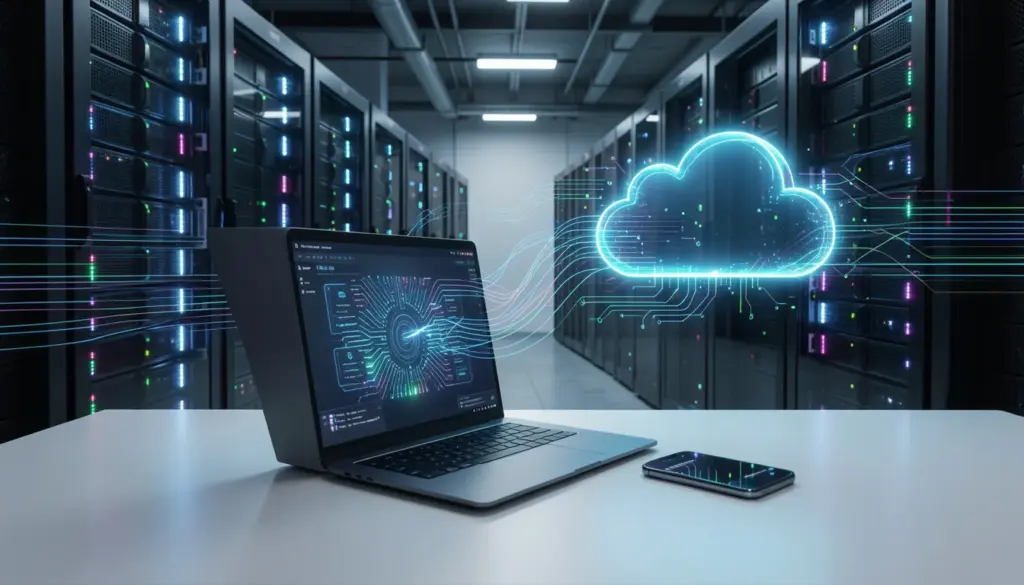
Every time you check your email, stream a video, or save a photo to your phone, you’re using cloud computing. Yet for something so common, the concept can feel surprisingly hard to pin down.
This guide breaks cloud computing down in plain language — no technical background required. You’ll learn what it actually is, how it works behind the scenes, the different types of services it includes, and why so many businesses and individuals have moved away from traditional computing methods.
What Is Cloud Computing?
Cloud computing means accessing computing resources — such as storage, software, and processing power — over the internet rather than from a physical machine sitting in front of you.
Instead of saving files to your laptop’s hard drive or running software you installed from a disc, cloud computing lets you store and access data over the internet, using remote servers maintained by third-party providers. The “cloud” is simply a metaphor for the internet, and the resources you access live in large-scale data centers spread across the globe.
A simple way to think about it: owning computing hardware is like owning a generator to power your home. Cloud computing is like connecting to the electrical grid — you use what you need, pay for what you consume, and don’t worry about maintaining the infrastructure yourself.
How Cloud Computing Works
Understanding what the cloud is gets easier once you see the process behind it.
When you use a cloud-based service, your device (laptop, phone, tablet) connects to the internet and sends a request to a remote server. That server processes your request and sends back the result — whether it’s a file, a running application, or a piece of data. This all happens in milliseconds.
Here’s a step-by-step look at what happens in the background:
- You make a request. You open a browser and load a web-based application, like Google Docs or Salesforce.
- The request travels over the internet. Your request is routed through networks to the nearest or most appropriate data center.
- Remote servers process the request. In the data center, physical servers (often running through virtualization — meaning one physical machine can act like many) handle your request.
- The result is returned to you. The processed data, file, or application interface is sent back to your screen.
The role of virtualization is central to this process. It allows cloud providers to divide a single powerful physical server into multiple virtual machines, each operating independently. This makes cloud infrastructure far more efficient and flexible than traditional computing setups, where resources often go to waste.
The major infrastructure behind this includes providers like Amazon Web Services (AWS), Microsoft Azure, and Google Cloud Platform — all of which operate vast global networks of data centers.
Types of Cloud Computing Services
Cloud computing services generally fall into three categories. Each one represents a different layer of what’s being delivered over the internet.
SaaS (Software as a Service)
SaaS delivers complete, ready-to-use software applications through a web browser. You don’t install anything — you simply log in and use the application. Gmail, Microsoft 365, Dropbox, and Zoom are all examples of SaaS products.
For most everyday users, SaaS is the layer they interact with. The provider handles everything underneath — servers, infrastructure, updates, and security — so you focus solely on using the product.
PaaS (Platform as a Service)
PaaS is aimed at developers and businesses building software. Rather than managing servers or networking, developers get a pre-built environment where they can write, test, and deploy applications. Google App Engine and Heroku are well-known PaaS examples.
Think of it like renting a fully equipped commercial kitchen instead of building one from scratch. You bring your own recipes (the code); everything else is already in place.
IaaS (Infrastructure as a Service)
IaaS provides the most basic building blocks of computing: virtual machines, storage, and networking. Businesses that need full control over their computing environment — but don’t want the cost of owning physical servers — use IaaS. AWS EC2, Microsoft Azure Virtual Machines, and Google Compute Engine fall into this category.
IaaS is commonly used by IT departments that need to configure and manage systems on their own terms, without investing in physical hardware.
Types of Cloud Deployment Models
Beyond service types, cloud computing is also categorized by how and where it’s deployed.
1. Public cloud
Public cloud refers to services offered over the internet by third-party providers — shared infrastructure that serves many customers simultaneously. It’s cost-efficient and widely used by businesses that don’t handle sensitive or regulated data.
2. Private cloud
Private cloud involves infrastructure dedicated to a single organization, either hosted on-site or by a private provider. Hospitals, banks, and government agencies often use private cloud setups to maintain stricter control over sensitive data.
3. A Hybrid Cloud
A hybrid cloud combines elements of both. An organization might run sensitive workloads on a private cloud while using public cloud resources for less critical operations. This gives businesses flexibility without sacrificing security where it matters most.
What Is Cloud Storage and How Does It Work
Cloud storage is one of the most widely used parts of cloud computing. Services like Google Drive, iCloud, Dropbox, and OneDrive let you store files — documents, photos, videos — on remote servers rather than on your local device.
When you upload a file, it travels over the internet and gets stored in a data center. That same file is often replicated across multiple servers in different locations. This redundancy protects against data loss in case of hardware failure.
The practical benefit is significant: your files stay accessible from any device, anywhere, as long as you have internet access. Real-time data synchronization means changes you make on your phone appear instantly on your laptop.
On the security side, reputable cloud storage providers use encryption both during transfer (while files travel across the internet) and at rest (while stored on servers). While no system is completely immune to risk, modern cloud storage is generally considered more secure than storing sensitive files on a single local device.
Benefits of Cloud Computing
The shift from traditional computing to cloud-based models comes with a range of practical advantages.
Cost efficiency
With a pay-as-you-go model, businesses pay only for the computing power and storage they use. There’s no need to buy expensive hardware or pay for capacity that sits idle. Small businesses particularly benefit from this — access to enterprise-level infrastructure without enterprise-level spending.
Accessibility
Cloud services can be reached from anywhere with internet access. Remote teams, distributed offices, and mobile workers all benefit from centralized data management that doesn’t depend on being in a specific physical location.
Scalability
A startup launching a new product can handle a sudden spike in traffic without buying new servers. Cloud infrastructure scales up or down based on demand. This kind of flexible resource allocation is nearly impossible with on-premise hardware.
Reduced hardware dependency
Organizations no longer need to maintain racks of physical servers, replace aging hardware on a cycle, or hire large IT teams just to keep infrastructure running. That responsibility shifts to the cloud provider.
Business continuity
Because data is stored in secure data centers with built-in backups, recovering from hardware failure, natural disasters, or accidental deletion is far simpler than it would be with traditional on-site systems.
Real-World Uses of Cloud Computing
Cloud computing isn’t abstract — it’s built into many parts of daily life and modern business.
1. For students and individuals
For students and individuals, saving lecture notes to Google Drive, editing a document from multiple devices, storing a photo library in iCloud, or video calling over Zoom all rely on cloud infrastructure. None of these requires powerful local hardware — the heavy lifting happens on remote servers.
2. For businesses
Companies use cloud platforms for remote team collaboration, data analytics, customer relationship management (via tools like Salesforce), software development, and backup systems. A retail company might use cloud computing to track inventory in real time across multiple locations. A media company might process and stream video content through a hosted cloud infrastructure.
3. For developers and tech teams
Cloud platforms provide the environment to build, test, and release applications without setting up physical servers. Serverless computing, a cloud model where developers write code and the provider handles everything else automatically, has further reduced the overhead of software deployment.
4. For healthcare and finance
These sectors use private or hybrid cloud setups to store patient records and financial data securely, comply with regulations, and give authorized professionals access to information wherever they’re working.
Cloud Computing vs Traditional Computing
Traditional computing means running applications and storing data on local hardware — the computer in front of you, a company’s internal server room, or an organization’s private network. Cloud computing shifts both of those functions off-site, to infrastructure you access through the internet.
| Factor | Traditional Computing | Cloud Computing |
|---|---|---|
| Hardware | You own and maintain it | Managed by the provider |
| Upfront cost | High | Low (subscription or usage-based) |
| Scalability | Limited by hardware | Flexible, on-demand |
| Accessibility | Limited to the local network | Accessible from anywhere |
| Maintenance | Your responsibility | Provider’s responsibility |
| Backup & recovery | Depends on your setup | Built into most services |
The main argument for traditional computing is control — organizations that need to fully own and manage their infrastructure, for regulatory or security reasons, may prefer on-premise setups. Latency can also be a consideration; local machines don’t depend on internet speed.
That said, for the vast majority of individuals and businesses, cloud computing offers a compelling combination of lower cost, greater flexibility, and reduced maintenance burden.
FAQs
What is the difference between SaaS, PaaS, and IaaS?
SaaS delivers finished software applications (like Gmail or Zoom). PaaS provides a development environment where programmers build and deploy applications. IaaS offers the raw infrastructure — virtual machines, storage, and networking — that businesses manage themselves. They represent different levels of control and responsibility.
Is cloud storage safe?
Reputable cloud storage services use strong encryption and store data across multiple redundant servers. While no technology is completely risk-free, established providers like Google, Microsoft, and Apple apply security measures that surpass what most individuals or small businesses could implement on their own hardware.
Can individuals use cloud computing, or is it only for businesses?
Both. Individuals use cloud computing every day through services like iCloud, Google Drive, Spotify, and Netflix. Businesses use it at a larger scale for operations, development, and data management — but the underlying technology is the same.
What is hybrid cloud computing?
A hybrid cloud combines public cloud infrastructure (shared, internet-based services) with a private cloud or on-premise setup. This approach lets organizations keep sensitive data in a controlled environment while using public cloud resources for other workloads.
How does cloud computing save money for businesses?
Rather than purchasing and maintaining physical servers, businesses use cloud infrastructure on a subscription or pay-as-you-go basis. They also reduce costs tied to IT maintenance, hardware replacement, and physical office space for server rooms.
What is edge computing, and how does it relate to the cloud?
Edge computing processes data closer to where it’s generated — on local devices or nearby servers — rather than sending everything to a distant data center. It complements cloud computing by reducing latency for time-sensitive applications, such as manufacturing sensors or connected vehicles, while still connecting to the broader cloud infrastructure for storage and analysis.