

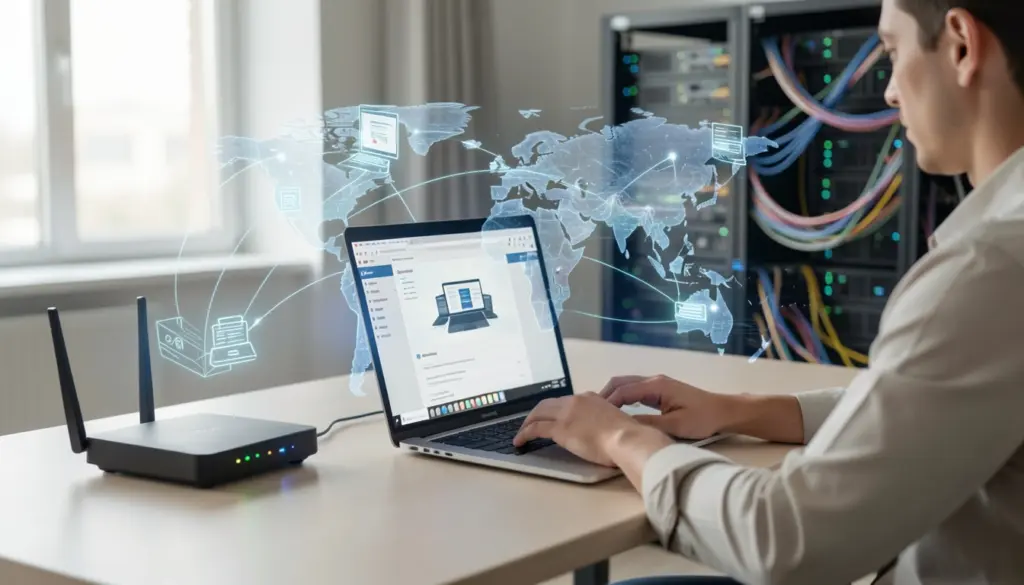
Most people use the internet dozens of times a day without really understanding what it is or how it functions. That gap between using something and understanding it rarely causes problems — until it does. Knowing how the internet works, what keeps it running, and how to use it safely makes you a more capable, more confident person in a world built around digital communication.
This guide covers the foundational internet knowledge that every beginner should have. You will learn what the internet actually is, how information moves across it, what the core components are, and how to use the web more safely and effectively.
What the Internet Is and Why It Matters
The internet is a global network of interconnected computers and devices that can communicate with one another. It is not a single machine or a physical place — it is a system that links billions of devices across the world using a shared set of rules for exchanging information.
Think of it like a global highway system. Just as roads connect cities and allow vehicles to move between them, the internet connects computers and allows data to travel between them. No single company or government owns the entire internet. It is a shared infrastructure maintained by organizations, ISPs, governments, and tech companies working within a set of agreed-upon standards.
The internet has become the backbone of modern communication, commerce, education, and entertainment. Understanding its basic structure helps you make better decisions about how you use it.
A Simple Explanation of How the Internet Works
Networks and Global Connectivity
At its core, the internet is made up of networks — collections of computers and devices linked together. Your home Wi-Fi network is a small example of this. Your router connects your devices to your Internet Service Provider (ISP), which connects you to larger regional networks, which connect to the global internet backbone — a system of high-speed fiber optic cables and data centers spanning continents and ocean floors.
Every device that connects to the internet becomes part of this larger web of networks. The connection chain generally looks like this:
Your Device → Home Router → ISP → Internet Backbone → Destination Server
How Computers Communicate
Computers on the internet communicate using protocols — standardized rules that define how data is formatted, sent, and received. The most fundamental of these is the Internet Protocol (IP), which governs how data is addressed and routed. Working alongside it is the Transmission Control Protocol (TCP), which ensures data arrives completely and in the correct order.
When you open a website, your computer sends a request following these protocols. The server hosting that website responds, and your browser assembles the received data into the page you see. All of this happens in fractions of a second.
Key Components That Make the Internet Work
Internet Service Providers (ISPs)
An Internet Service Provider is the company that gives you access to the internet. When you pay for home broadband or a mobile data plan, you are paying an ISP. These companies maintain the physical infrastructure — cables, towers, and equipment — that connects your home or device to the wider internet.
Without ISPs, individual homes and businesses would have no practical way to reach the global network.
IP Addresses and Identification
Every device connected to the internet is assigned an IP address — a unique numerical label that identifies it on the network. Think of it as a postal address for your device. When data is sent across the internet, IP addresses tell the network where to deliver it and where responses should go.
IP addresses come in two main versions: IPv4 (the older format, like 192.168.1.1) and IPv6 (a newer format designed to accommodate the growing number of connected devices worldwide).
Domain Names and the DNS System
Since IP addresses are strings of numbers that are difficult to remember, the Domain Name System (DNS) was created to solve this problem. DNS works like an internet phonebook. Instead of typing a numerical address to visit a website, you type a domain name like example.com, and the DNS translates that name into the corresponding IP address behind the scenes.
When you type a web address into your browser, your device queries a DNS server, which returns the correct IP address. Your browser then uses that address to connect to the right server. The entire process happens automatically and almost instantly.
Web Servers and Websites
A web server is a computer that stores website files and delivers them to users who request them. When you visit a website, you are essentially asking a remote server to send those files to your browser so they can be displayed on your screen.
Large websites use multiple servers and data centers located around the world to ensure fast loading times and reliable availability. A data center is simply a facility housing large numbers of servers along with the cooling, power, and security systems they require.
Understanding the Difference Between the Internet and the Web
Many people use “internet” and “web” interchangeably, but they refer to different things.
The internet is the underlying global infrastructure — the physical cables, routers, servers, and protocols that enable digital communication worldwide.
The World Wide Web (WWW) is one service that runs on top of the Internet. It consists of web pages, websites, and links that you access through a browser using the HTTP or HTTPS protocol. Email, online gaming, file transfer services, and video calls are also internet-based — but they are not part of the web.
A simple way to think about it: the internet is the road network, and the web is one type of traffic that travels on those roads.
How Information Travels Across the Internet
Data Packets
When you send or receive information online — whether it is a webpage, an email, or a video — the data does not travel as one large continuous stream. It is broken into small units called data packets. Each packet contains a portion of the information being sent, along with addressing details that tell the network where the packet came from and where it is going.
This approach makes the internet more efficient and resilient. If one route is congested or unavailable, individual packets can take different paths and still arrive at the destination.
Routing and Transmission
Routers are the devices responsible for directing packets across the network. When a packet leaves your device, it passes through a series of routers — each one reading the destination address and forwarding the packet along the best available path toward its target.
At the destination, the packets are reassembled into the complete file or message. This process — sending, routing, receiving, and reassembling — happens so quickly that from the user’s perspective it feels instantaneous. The reassembly is handled by the TCP protocol, which also requests any missing packets to be resent if they fail to arrive.
Tools People Use to Access the Internet
Web Browsers
A web browser is software that retrieves and displays web pages. When you type a URL or click a link, the browser sends an HTTP or HTTPS request to the appropriate server and renders the returned content into a readable page.
HTTPS (the secure version of HTTP) means the data exchanged between your browser and the server is encrypted. You can identify a secure connection by the padlock icon in the address bar.
Search Engines
Search engines are platforms that index vast amounts of web content and allow you to find relevant pages by entering a query. They work by continuously crawling the web, reading and cataloging pages, and then ranking them according to relevance when a user performs a search.
Understanding how search engines work helps you write better queries, evaluate results more carefully, and find accurate information more efficiently.
Online Platforms and Services
Beyond websites, the internet supports a wide range of platforms and services: email, cloud computing, video streaming, messaging apps, and social networks. Cloud computing, in particular, refers to storing and accessing data and applications over the internet rather than on a local device. This allows people to access their files from any connected device, anywhere in the world.
Essential Internet Skills Everyone Should Have
Understanding the internet theoretically is useful, but knowing how to use it well is what matters day to day. These are the practical skills worth developing:
- Not everything published online is accurate. Learning to identify credible sources — checking authorship, publication dates, and cross-referencing claims — is one of the most valuable internet skills you can build.
- Before entering any personal or financial information online, confirm the site uses HTTPS. A padlock icon in the address bar indicates the connection is encrypted.
- Most people type vague phrases into a search engine and scroll through results. Learning to write specific queries, use quotation marks to search for exact phrases, and evaluate which results are most trustworthy improves your ability to find what you need quickly.
- Using strong, unique passwords for each account — and storing them with a reputable password manager — significantly reduces the risk of unauthorized access to your personal accounts.
- Most online platforms collect user data. Knowing how to review and adjust privacy settings gives you more control over what information you share and with whom.
Internet Safety, Privacy, and Responsible Use
Online safety is not a separate topic from internet knowledge — it is a direct application of it. When you understand how the internet works, you are better equipped to recognize threats and protect yourself.
1. Phishing
Phishing is one of the most common online threats. It involves fraudulent messages — usually emails or fake websites — designed to trick you into revealing passwords, financial details, or other personal information. Phishing attempts often mimic trusted organizations and use urgent language to pressure a response. Knowing how to verify the sender’s address and avoid clicking suspicious links is basic but effective protection.
2. Encryption
Encryption is the process of converting data into a format that can only be read by the intended recipient. HTTPS uses encryption to protect the data you send and receive through your browser. When a website lacks HTTPS, any data you enter could be intercepted by third parties on the same network.
3. Public Wi-Fi networks
Public Wi-Fi networks carry real risks. Because these networks are often unsecured, other users on the same network may be able to monitor unencrypted traffic. Avoiding sensitive tasks — like online banking — while on public Wi-Fi, or using a VPN (Virtual Private Network) to encrypt your connection, reduces that risk considerably.
Responsible internet use also means being thoughtful about what you share. Personal information posted publicly can be difficult or impossible to fully remove. Treating your digital footprint with the same care you would give to information shared in person is a reasonable baseline.
Why Internet Knowledge Is Important in the Modern World
Digital literacy — the ability to use and understand digital technologies — has become a fundamental life skill. Employment, healthcare, education, banking, and government services have all moved substantially online. A person without basic internet knowledge faces real barriers in navigating these systems.
Beyond practicality, understanding how the internet functions helps you make more informed decisions. You become better at spotting misinformation, protecting your privacy, evaluating online services, and using digital tools more effectively. The internet gives you access to an enormous amount of information and opportunity — but that access is most useful when paired with the knowledge to use it well.
FAQs
What is the difference between the Internet and the World Wide Web?
The internet is the global infrastructure of connected networks, cables, and devices. The World Wide Web is one service that runs on the internet — it consists of websites and web pages accessed through a browser. Email and video calls, for example, use the internet but are not part of the web.
What is an IP address?
An IP address is a unique numerical label assigned to every device connected to the Internet. It works like a home address, telling the network where to deliver data and where to send responses. Every computer, phone, and tablet has one when connected online.
What does HTTPS mean and why does it matter?
HTTPS stands for HyperText Transfer Protocol Secure. It means the connection between your browser and the website is encrypted, so data you send or receive cannot be easily intercepted. Always look for HTTPS — especially the padlock icon — before entering passwords or payment information.
What is DNS, and how does it work?
The Domain Name System translates human-readable domain names (like a website address) into the numerical IP addresses that computers use to locate servers. It works automatically every time you visit a website, turning what you type into directions your device can follow.
What are data packets?
When information is sent across the internet, it is broken into small chunks called data packets. Each packet travels independently across the network and is reassembled at the destination. This makes data transmission faster and more reliable than sending information as one continuous block.
How can a beginner stay safe online?
Start with a few fundamentals: use strong, unique passwords for each account, avoid clicking links in unsolicited emails, only enter personal information on HTTPS-secured websites, and be cautious on public Wi-Fi networks. Building these habits early provides a solid foundation for safe internet use.
What is an Internet Service Provider?
An ISP is the company that provides your connection to the internet. Your home broadband or mobile data plan comes through an ISP, which maintains the physical infrastructure linking your devices to the global network.