

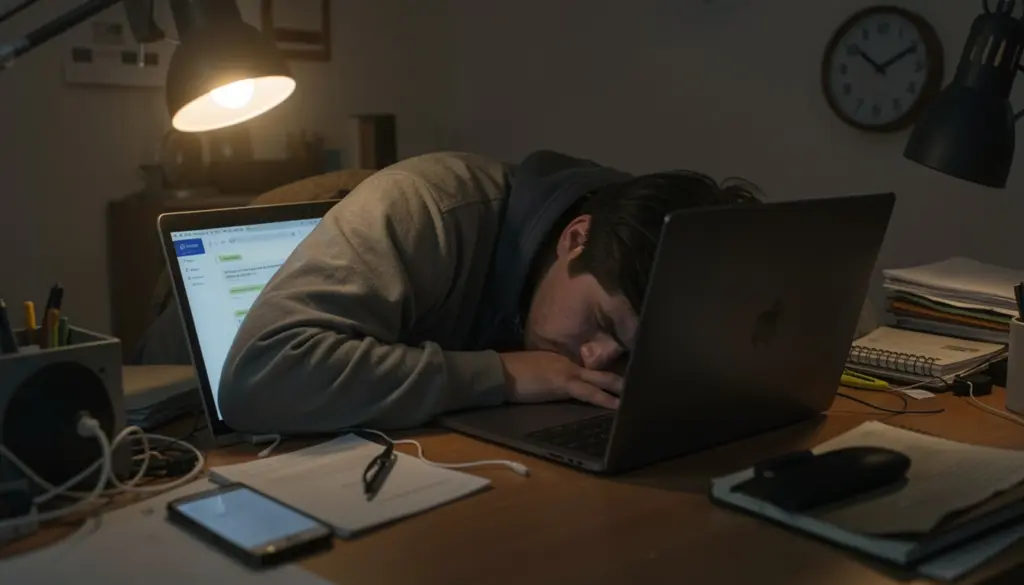
Your laptop is open at 10 PM. Your phone buzzes with a Slack message. You meant to stop working two hours ago, but somehow the boundary between “work time” and “personal time” dissolved again—quietly, without announcement.
This is the defining tension of professional life right now. Technology has made work more flexible and more accessible than ever, but that same accessibility has made it harder to truly step away. For remote workers, especially, the office never closes because the office is wherever you are.
This article breaks down why maintaining digital work-life balance is so difficult, what actually works to fix it, and how to build routines that support both your productivity and your well-being over the long term.
What Is Digital Work Life Balance?
Digital work life balance refers to the ability to separate productive work time from personal time in an environment where technology connects you to work around the clock. It goes beyond the traditional idea of “leaving the office at five”—because there is no physical office door to walk through.
Traditional work-life balance was partly enforced by geography. You drove home, and work stayed at the building. Digital work life balance requires you to create that separation deliberately, through habits, boundaries, and intentional choices about how you use technology.
It is less about splitting your hours evenly between work and personal life and more about ensuring neither one constantly bleeds into the other. Work-life integration—where professional and personal activities coexist fluidly throughout the day—can work well for some people, but only when both sides are protected, not when one perpetually dominates.
Why Work-Life Balance Is Challenging in the Digital Age
Several structural forces make balance genuinely harder today than it was a generation ago.
An always-on work culture is one of the most significant. Communication tools like Slack, Microsoft Teams, and email create an expectation of near-constant availability. Even when no one explicitly requires you to respond after hours, the visibility of online status indicators and read receipts creates subtle social pressure. Over time, many professionals internalize this pressure and begin policing their own availability without being asked.
Remote work compounds the problem. When your home is your office, there is no commute to act as a mental buffer between professional and personal modes. Without that transition, many remote workers find themselves checking messages during dinner, starting work earlier than they should, and finishing later than planned. The boundaries that physical workplaces imposed by default now have to be constructed from scratch.
Digital overload is another compounding factor. The average knowledge worker is interrupted every few minutes by notifications, context-switches between applications, and the low-grade cognitive load of managing multiple communication channels simultaneously. This constant partial attention depletes mental energy faster than deep, focused work does. By mid-afternoon, many professionals are running on cognitive fumes—and that mental fatigue often outlasts the workday itself.
Key Benefits of Maintaining Digital Work-Life Balance
Understanding why balance matters is motivating when building habits feels difficult.
Productivity improves when you have genuine recovery time. Rest is not the opposite of performance—it is what makes sustained performance possible. Professionals who disconnect regularly tend to return to work with a sharper focus and better decision-making capacity than those who stay perpetually connected.
Mental health outcomes are significantly better for people who maintain clear work boundaries. Chronic digital overload is associated with higher rates of anxiety, sleep disruption, and emotional exhaustion. These are not personality weaknesses; they are predictable responses to sustained cognitive demand without adequate recovery.
Career longevity depends on sustainability. Burning intensely for short periods can look productive on the surface, but it tends to erode output quality, damage relationships, and increase the likelihood of serious burnout over a longer arc. Professionals who build sustainable work habits tend to perform more consistently and advance more steadily than those who cycle through periods of overexertion and recovery.
Practical Strategies to Improve Digital Work Life Balance
Set Clear Work Boundaries
The most impactful thing most professionals can do is define when work starts and when it ends—and treat those boundaries as commitments rather than suggestions.
Start by establishing a fixed end-of-day time and communicating it to your team. You do not need to justify this. Most colleagues respect clear availability windows when they are communicated upfront. Setting your status to unavailable on Slack or Teams after a certain hour, turning off email notifications on your phone, and using scheduled send features to batch messages during work hours all reinforce this boundary without requiring daily willpower.
A simple “shutdown ritual” at the end of the workday helps signal to your brain that work is done. This might be writing tomorrow’s top three priorities, closing all work tabs, and stepping away from your desk for a short walk. The specific ritual matters less than the consistency of doing it.
Create a Structured Daily Routine
Unstructured remote work days tend to expand indefinitely because there are no natural stopping points. A structured routine creates those stopping points artificially.
Time blocking—assigning specific work to specific time slots in your calendar—is one of the most effective methods. Rather than working from a general to-do list, you assign tasks to dedicated calendar blocks using Google Calendar or Notion. This makes your day visible and finite. When the block ends, the task moves to tomorrow, not to 9 PM.
A morning routine that clearly marks the start of the workday also helps. This could be as simple as making coffee, changing into work clothes, and doing a five-minute review of your schedule before opening email. The Pomodoro technique—working in focused 25-minute intervals with short breaks between them—is particularly useful for managing attention across long digital workdays.
Manage Notifications and Digital Distractions
Unmanaged notifications are one of the most underestimated sources of digital fatigue. Every ping interrupts your focus and requires a small but real recovery period before you regain full concentration.
Audit your notifications across all apps and turn off anything that does not require your immediate attention. On most devices, you can configure focus modes that block non-essential notifications during specific hours. For communication tools, batch-check Slack or Teams two to three times per day rather than monitoring them continuously. Most workplace messages are not urgent enough to warrant real-time responses.
Blue light exposure from screens also affects sleep quality, which directly impacts next-day cognitive performance. Using night mode on devices after dark and avoiding screens for at least 30 minutes before bed are straightforward changes that compound into meaningful improvements in recovery.
Use Time Management Techniques
Beyond time blocking, a few principles help professionals work more effectively without extending hours.
Energy management is often more useful than time management. Identify when your cognitive energy is highest—for most people, this is mid-morning—and protect that window for your most demanding work. Administrative tasks, meetings, and email can be batched into lower-energy periods.
Asynchronous communication norms reduce pressure on everyone. If your team agrees that responses within a few hours are acceptable (rather than within minutes), it substantially reduces the anxiety of not being constantly available. Tools like Loom for video messages or shared Notion documents for project updates let work move forward without requiring everyone to be online simultaneously.
Task batching is another underused technique. Rather than switching contexts throughout the day, group similar activities together. Handle all email at specific times, take back-to-back meetings in one block rather than scattering them across the day, and batch administrative work into a single afternoon slot.
Schedule Breaks and Downtime
Deliberate rest during the workday is not a luxury—it is part of how sustainable output is maintained. Short breaks every 60 to 90 minutes help manage mental fatigue, reduce errors, and maintain focus across longer work sessions.
Physical movement during breaks matters more than most people realize. A 10-minute walk is more restorative than scrolling your phone for the same period. Even brief movement breaks reset attention and reduce the physical tension that accumulates during extended screen time.
Lunch breaks deserve particular protection. Eating at your desk while answering emails is a habit that provides no recovery value. A genuine midday break—even 20 minutes away from all screens—improves afternoon performance noticeably over time.
Tools That Support Work Life Balance
The right tools do not replace good habits, but they make good habits easier to maintain.
Google Calendar remains the most practical scheduling tool for most professionals. Using it actively—not just to record meetings but to block focused work time and personal commitments—gives your schedule structure and makes overcommitment visible before it happens.
Notion and Asana, or Trello, help manage tasks and projects in ways that reduce the need to hold everything in your head. When work is captured in a trusted system, you can genuinely close the laptop at the end of the day without the low-level anxiety of feeling like something might be forgotten.
Slack and Microsoft Teams are powerful but require deliberate configuration to work in your favor. Status settings, notification schedules, and channel organization can transform these tools from sources of constant interruption into structured communication channels.
Focus apps like Freedom or built-in screen time controls on iOS and Android allow you to block distracting websites and apps during work hours—and block work-related apps during personal time, which is equally important.
Preventing Burnout in a Digital Work Environment
Digital burnout is not just tiredness. It is a state of chronic depletion that affects your ability to concentrate, feel motivated, and engage with work or personal life meaningfully. Recognizing it early makes recovery far more manageable.
Early signs include persistent fatigue that sleep does not resolve, growing cynicism toward work tasks that previously felt meaningful, difficulty concentrating for more than short periods, and a sense of dread at the start of the workday. Physical symptoms like frequent headaches, tension in the neck and shoulders, and disrupted sleep often accompany these cognitive changes.
Prevention strategies center on building recovery into your schedule rather than treating rest as something you earn after finishing everything. Finish-everything is not a state that digital work reaches—there is always more. Recovery has to be scheduled, not waited for.
Regular digital detox periods—even brief ones—help reset your relationship with technology. This might mean no phones during meals, phone-free mornings on weekends, or one screen-free evening per week. These micro-breaks from digital stimulation are more restorative than people expect, particularly for those who rarely experience true disconnection.
Mental health awareness matters at an organizational level, too. Teams that normalize talking about workload, stress, and boundaries create cultures where burnout is less likely to go unacknowledged until it becomes serious.
Building a Sustainable Work-Life Balance Routine
A sustainable routine is not built in a day. It is assembled gradually through small, consistent choices that compound into meaningful change.
Daily habits worth building include a defined start time, an end-of-day shutdown ritual, at least one screen-free break, and a clear boundary around at least one area of personal life—meals, exercise, or time with family—that work does not enter.
Weekly reset practices provide a broader perspective. A brief Friday review—what went well, what needs adjusting—prevents the same friction points from recurring week after week. Planning the following week’s key priorities before Monday helps the week begin with intention rather than reaction.
Long-term mindset shifts are what make individual strategies stick. Moving away from measuring productivity by hours worked toward measuring it by meaningful output changes how you relate to your own work schedule. Accepting that work will always generate more to do, and that protecting personal time is part of being effective rather than neglecting responsibility, fundamentally changes how sustainable your habits become.
Work-life harmony does not mean every day is perfectly balanced. It means that over weeks and months, neither work nor personal life is systematically deprived. Some days demand more professionalism; others allow for fuller personal engagement. The goal is the long-run average, not the daily ratio.
FAQs
What is the biggest challenge to digital work-life balance?
The always-on nature of digital communication tools creates an expectation of constant availability that is difficult to push back against. Without deliberate boundaries, work naturally expands to fill all available time.
How do I disconnect from work after hours without falling behind?
Most professional communication does not require real-time responses. Setting clear response windows, using scheduled send for messages, and communicating your availability to your team allows you to disconnect without creating gaps others depend on.
Can remote work improve work-life balance?
Yes, when managed well. Remote work eliminates commutes, allows more flexible scheduling, and provides autonomy over your environment. The challenge is that it also removes the structural separation between work and home that physical offices provide, which requires deliberate replacement.
What are the early signs of digital burnout? Persistent fatigue, difficulty concentrating, growing detachment from work you previously found meaningful, and physical symptoms like headaches or disrupted sleep are common early indicators.
How many hours of screen time is too much for professionals?
There is no universal number, but research consistently points to unbroken screen time—without movement breaks or genuine recovery periods—as the more important factor than total hours. Regular breaks and screen-free periods during evenings reduce negative effects significantly.
What is the difference between work-life balance and work-life integration?
Balance implies distinct separation between work and personal time. Integration allows them to coexist more fluidly throughout the day. Neither is inherently better—what matters is whether both work and personal life receive genuine attention, not whether they occupy rigidly separate time slots.