

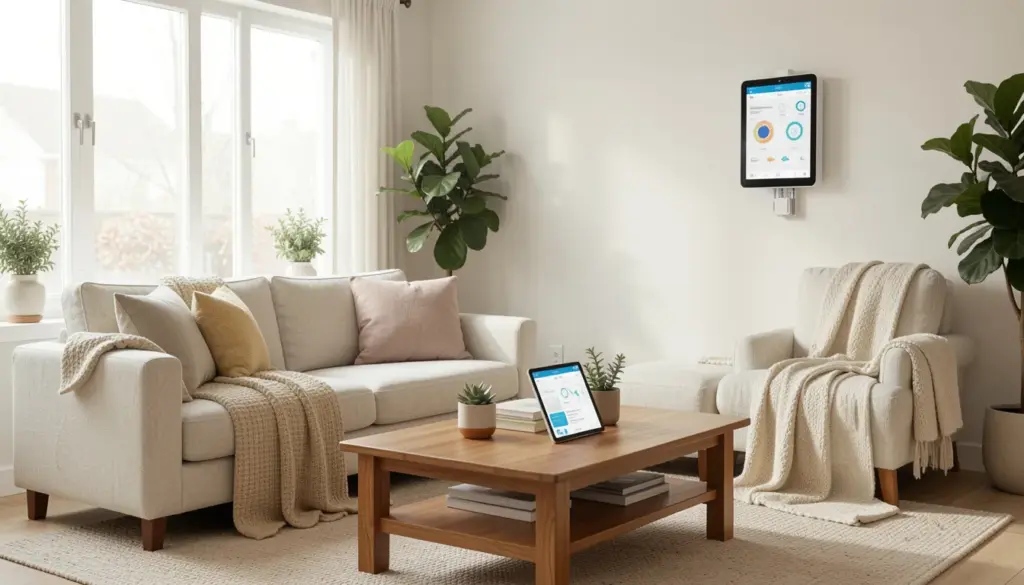
Walking through your front door and having the lights adjust automatically, the thermostat set to your preferred temperature, and your security system disarm with a single tap — this is no longer science fiction. Smart home technology has become genuinely accessible, affordable, and practical for everyday homeowners. Whether you live in a compact apartment or a large family home, some upgrades can make your space more comfortable, more secure, and less expensive to run.
This guide covers the most valuable smart home upgrades available today — what they do, why they matter, and how to make them work together without headaches.
Benefits of Smart Home Upgrades
The appeal of home automation goes beyond novelty. The real value lies in three practical areas: convenience, energy savings, and security.
From a convenience standpoint, connected home devices let you control your environment without being physically present. You can dim lights, lock doors, or adjust the thermostat from your phone — whether you’re on the couch or halfway across the city. Automated routines can handle repetitive tasks entirely, like turning off all lights when you leave or starting the coffee maker before your alarm goes off.
On the energy side, smart home systems give you visibility and control over how your home consumes power. Many homeowners don’t realize how much energy is wasted by devices left on standby, poorly timed heating cycles, or inefficient lighting. IoT-enabled appliances and energy management systems address these inefficiencies directly.
Security has also improved dramatically through connected devices. Smart cameras, motion sensors, and automated alarm systems provide real-time awareness of what’s happening at your property — and they’re far more responsive than traditional systems.
Long-term, these upgrades can generate real cost savings. A well-configured smart thermostat alone can reduce heating and cooling bills by 10–15% annually, which adds up significantly over time.
Energy-Efficient Smart Home Upgrades
This is where smart home technology delivers some of its strongest, most measurable returns.
Smart Thermostats
A smart thermostat is one of the highest-ROI upgrades a homeowner can make. Devices like the Google Nest Learning Thermostat or the Ecobee analyze your schedule and preferences, then adjust heating and cooling automatically. Rather than running your HVAC at full capacity all day, these systems learn when you’re home, when you’re asleep, and when the house is empty — and they respond accordingly.
Installation is typically straightforward, requiring no rewiring for most modern HVAC systems. Most models connect to your home Wi-Fi and are managed through a mobile app, giving you remote access control even when you’re traveling.
Intelligent Lighting
Smart lighting upgrades — such as Philips Hue bulbs or Lutron Caseta switches — allow you to schedule lights, control brightness, and set automated routines. Motion-activated lighting in hallways and bathrooms means lights are only on when needed, rather than being left on accidentally.
The energy savings from intelligent lighting are meaningful. LED smart bulbs use around 75% less energy than incandescent equivalents, and scheduling features ensure nothing is left running unnecessarily.
Smart Plugs and Energy Monitoring
Smart plugs are one of the most affordable entry points into home automation. Plugged into any standard outlet, they let you control lamps, fans, and small appliances remotely, and many models include energy monitoring so you can track exactly how much power individual devices consume. This data is genuinely useful — it often reveals that certain appliances are drawing far more power than expected.
Energy-efficient smart home upgrades like these don’t require a large upfront investment, and many pay for themselves within a year or two through reduced utility costs.
Enhancing Home Security and Safety
Security is consistently one of the top reasons homeowners invest in smart home technology, and the options available today are both effective and easy to manage.
Smart Locks
Smart locks replace or supplement traditional deadbolts with keypad, fingerprint, or smartphone-controlled access. Products like the Schlage Encode or August Smart Lock allow you to grant temporary access codes to guests or contractors, receive notifications when someone enters or exits, and lock your door remotely if you forget.
This eliminates the need to hide spare keys and gives you a detailed log of who has accessed your home. For families with children who arrive home from school independently, the convenience is particularly significant.
Video Doorbells and Security Cameras
Ring video doorbells and similar devices have become standard features in many homes. They provide live video feeds, motion-triggered alerts, and two-way audio — meaning you can see and speak to anyone at your door regardless of where you are. Smart security cameras placed at entry points and common areas extend this coverage further.
Modern cameras offer high-definition video, night vision, and cloud storage for recorded footage. Many also integrate with voice assistants and home automation hubs, so alerts can trigger other actions — like turning on exterior lights when motion is detected.
Motion Sensors and Alarm Systems
Smart motion sensors serve double duty: they can trigger lighting (useful for safety and convenience) and alert you to unexpected movement in or around your home. Integrated with a broader security automation setup, they form part of a layered defense that’s considerably more responsive than standalone alarms.
Several systems, including those from SimpliSafe and Ring, combine cameras, motion sensors, and monitoring services into packages that work through a single mobile app. This kind of consolidation makes security management genuinely practical rather than burdensome.
Convenience and Automation Enhancements
Beyond efficiency and security, smart home upgrades can meaningfully change how your home feels to live in daily.
Voice Assistants
Amazon Alexa and Google Assistant serve as the central nervous system for many smart home setups. Once connected, they allow voice-activated control of lighting, thermostats, music, timers, and more. For households with young children, elderly residents, or people with mobility challenges, voice control removes friction from basic tasks that would otherwise require walking to a switch or picking up a phone.
Voice assistants also support multi-room control, meaning you can adjust settings throughout the house with a single command.
Automated Daily Routines
One of the most satisfying aspects of a well-configured smart home is the ability to create automated routines. A “morning routine” might gradually increase bedroom lighting at 6:45 AM, start the coffee maker, and set the thermostat to a comfortable temperature. An “away” routine triggered when you leave could turn off all lights, lock the doors, and lower the heating.
These routines are set up through apps like Google Home, Amazon Alexa, or Apple Home, and they require no ongoing interaction once configured. The result is a home that responds to your schedule rather than requiring you to manage it manually.
Smart Appliances
IoT-enabled appliances — refrigerators that notify you when groceries run low, washing machines you can start remotely, dishwashers that run during off-peak energy hours — add practical value over time. While these represent a larger investment than plugs or sensors, they contribute to a home that runs with less effort and lower costs.
Integrating and Managing Smart Devices
The biggest challenge many homeowners face isn’t choosing individual devices — it’s making them work together coherently.
Choosing a Smart Home Hub
Most smart home devices communicate through one of several common standards: Wi-Fi, Zigbee, Z-Wave, or Thread. When devices use different protocols, they may not communicate directly with each other. A smart home hub — such as a Samsung SmartThings hub or a dedicated Amazon Echo device — acts as a central coordinator, translating between different communication standards and allowing you to manage everything from a single app.
The newer Matter standard, supported by Apple, Google, Amazon, and Samsung, is gradually resolving interoperability problems by creating a common language for smart devices. If you’re building a smart home system from scratch, prioritizing Matter-compatible devices is worth the extra planning.
Mobile App Home Management
Nearly every major smart home system includes a companion mobile app for remote access control. Through these apps, you can monitor your home’s status, receive security alerts, adjust settings, and run diagnostics. The quality of the app experience varies significantly between brands, so reading user reviews before committing to a platform is advisable.
Home Network Infrastructure
A reliable home Wi-Fi mesh network is the foundation that holds everything together. A single router may struggle to maintain stable connections across a large home, especially as the number of connected devices grows. Mesh systems from Eero, Google Nest WiFi, or TP-Link Deco distribute coverage evenly, reducing dead zones and ensuring your devices stay reliably connected.
A general rule of thumb: if you’re planning to add more than 10–15 smart devices, a mesh network is a worthwhile investment rather than an optional extra.
DIY vs Professional Installation
Most entry-level smart home upgrades are genuinely manageable as DIY projects. Smart bulbs, plugs, doorbells, and thermostats typically involve nothing more complex than following a manufacturer’s app-guided setup. No special tools or wiring knowledge is required.
More complex installations — whole-home audio systems, integrated security systems, or smart lighting that involves in-wall wiring — may be better handled by a certified smart home installer or electrician. Attempting these without experience can result in safety hazards or voided warranties.
When DIY makes sense:
- Smart bulbs and lighting strips
- Smart plugs and power strips
- Video doorbells (battery-powered versions)
- Smart thermostats (most models, provided your HVAC is compatible)
- Smart locks (most models install over existing deadbolts)
When professional installation is worth considering:
- In-wall smart switches and dimmers require wiring
- Structured home networking
- Hardwired security camera systems
- Whole-home automation systems with custom programming
From a cost perspective, DIY installation eliminates labor costs, which can run $75–$200 per hour for a certified installer. However, professional installation typically comes with setup, calibration, and ongoing support — which has real value for complex systems.
If you’re new to home automation, starting with a few straightforward DIY upgrades is the most sensible approach. It lets you get familiar with the technology before committing to a larger investment.
FAQs
What are the easiest smart home upgrades to install?
Smart bulbs, smart plugs, and battery-powered video doorbells are the simplest starting points. They require no wiring and can be set up in under 30 minutes using a smartphone app.
How much do smart home improvements cost on average?
Costs vary widely. A basic setup — smart bulbs, a thermostat, and a video doorbell — might run $300–$500. More comprehensive systems covering security, lighting, and automation across multiple rooms can reach $2,000–$5,000 or more, particularly if professional installation is involved.
Can I upgrade my home without rewiring?
Yes. The majority of popular smart home devices — including thermostats, locks, plugs, and lighting — are designed to work with existing wiring or run on batteries. Full rewiring is rarely necessary unless you’re doing a large-scale renovation.
Which smart home devices are worth the investment?
Smart thermostats consistently rank highest for return on investment due to energy savings. Smart locks and video doorbells follow closely for security value. If the budget is limited, these three categories offer the strongest practical benefit per dollar spent.
How do I integrate multiple smart devices into one system?
Choose devices that share a common platform (Google Home, Amazon Alexa, Apple HomeKit) or support the Matter standard. A home automation hub can bridge devices that use different communication protocols. Managing everything through a single app makes the experience considerably more manageable.
Are DIY smart home upgrades safe and reliable?
When installed according to manufacturer instructions, yes. Reputable brands design their products for consumer installation. For anything involving mains wiring or your home’s electrical panel, a licensed electrician should be consulted.
Can smart upgrades save money on energy bills?
Meaningfully so. Smart thermostats, automated lighting, and energy monitoring tools collectively help reduce waste. Homeowners who actively use these features typically see noticeable reductions in monthly energy costs within the first year.
What upgrades work well for small homes or apartments?
Smart bulbs, plugs, a portable voice assistant, and a video doorbell are well-suited to smaller spaces. They provide most of the convenience and security benefits without requiring permanent modifications, which is important for renters.