

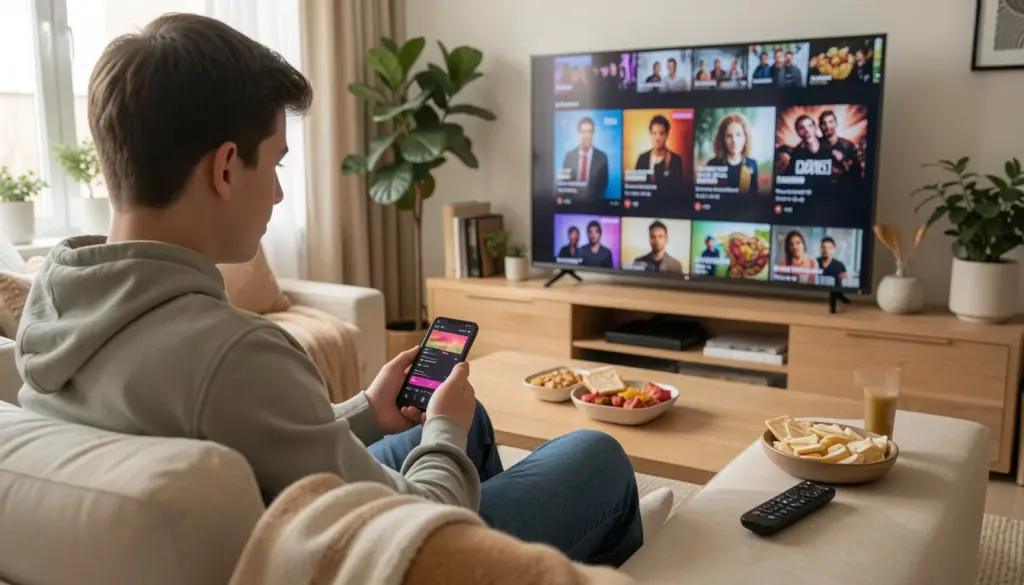
Finding a genuinely good free entertainment app feels harder than it should be. Most lists throw 20 names at you with zero context, half the apps are region-locked, and the other half quietly push you toward a paid plan within minutes. This guide is different.
Every app here is completely free to use, legal, and actually worth your time. Whether you want to stream movies, listen to music without a premium account, or kill an hour with a casual game, there’s something here that fits. No subscriptions required — just useful recommendations with honest trade-offs so you can pick what works for you.
What Are Free Entertainment Apps (And How Do They Work?)
Before jumping into the list, it helps to understand what “free” actually means in the app world — because not all free apps work the same way.
Most free entertainment apps use one of two models. The first is ad-supported streaming, where you watch short ads between content, similar to traditional TV. The app earns revenue from advertisers, which means you get free access in exchange for your attention. Platforms like Tubi, Pluto TV, and Crackle operate this way.
The second model is freemium, where a basic version is free but a paid tier removes ads, unlocks more content, or adds features like offline downloads. Spotify is the most well-known example — the free version works, but it comes with shuffle-only listening on mobile and regular ad breaks.
Understanding this distinction helps set realistic expectations. Free apps are genuinely usable, but they do come with limitations. Knowing what those limitations are before you download saves frustration later.
Best Free Streaming Apps for Movies and TV
This is where most people start, so it makes sense to go deep here. These apps let you stream movies and TV shows on demand without paying anything up front.
Tubi
Tubi is one of the strongest completely free streaming services available. It carries thousands of movies and TV shows, with content ranging from Hollywood classics to indie films and international titles. The content library is broad, and it’s updated regularly.
There are ads — typically a short break every 20–30 minutes — but they’re less frequent than cable TV. Tubi is available on Android, iOS, web browsers, smart TVs, and Roku devices, making it one of the most accessible free apps out there.
Best for: Casual viewers who want variety without spending anything. Great for browsing on a weekend.
Limitations: Content availability varies by region, and the newest theatrical releases won’t be here.
Pluto TV
Pluto TV takes a different approach. Rather than purely on-demand, it offers both live “channels” (think curated programming that plays continuously, like a TV channel) and an on-demand library. It’s a good fit for people who like the passive experience of just turning something on and watching whatever is playing.
The channel lineup includes news, sports highlights, comedy, horror, and dozens of niche categories. It’s free, ad-supported, and available on most platforms, including Android, iOS, web, and smart TVs.
Best for: People who miss the “lean back and watch TV” experience rather than hunting for something specific.
Limitations: The on-demand library is smaller than Tubi’s.
Crackle
Crackle has been around longer than most free streaming services, and it still holds up. It has a solid mix of movies and original content, with fewer ads than some competitors. The interface is clean and relatively easy to navigate.
Available on Android, iOS, web, and several smart TV platforms. Some content is exclusive to Crackle, which gives it a reason to exist alongside the bigger names.
Best for: Anyone looking for a no-fuss, ad-supported movie app with some original series.
Amazon Freevee
Amazon Freevee (previously IMDb TV) sits within the Amazon ecosystem and offers a surprisingly strong library of movies and TV shows at no cost. You don’t need an Amazon Prime subscription to use it, though you do need a free Amazon account.
The content quality tends to be higher than that of some other free services, and Amazon regularly adds licensed content. It’s available on Android, iOS, web, Fire TV devices, and select smart TVs.
Best for: Viewers who want reliable streaming quality with recognizable titles.
Limitations: Requires an Amazon account. Some content is only available in certain countries.
Plex
Plex is best known as a personal media server, but it also offers a free streaming tier with movies, TV shows, and live channels — no login required in some cases. The free content is ad-supported and includes a decent selection of films and documentaries.
If you already use Plex to manage your personal media library, the free streaming layer is a bonus. Available on virtually every platform.
Best for: Tech-comfortable users who want a versatile app that handles both personal media and free streaming.
The Roku Channel
Even if you don’t own a Roku device, The Roku Channel is available as a free app on Android, iOS, and web. It offers live TV channels, movies, and on-demand content at no cost. The library is broad, and the experience is polished.
Best for: Users who want a well-designed free streaming app with live channel options.
Best Free Music Apps to Listen Without Paying
Music apps are a bit more constrained in their free tiers than video apps, but several still offer genuinely useful experiences without a subscription.
Spotify (Free Tier)
Spotify’s free tier gives you access to its full catalog on desktop with on-demand playback. On mobile, you’re limited to shuffle mode on playlists and albums, with ads between songs. It’s not perfect, but for discovering new music and building playlists, nothing else at this price point (which is zero) comes close.
Best for: Music discovery, playlist building, podcast listening.
Limitations: Mobile shuffle mode can be limiting. No offline downloads on the free plan.
SoundCloud
SoundCloud is the go-to platform for independent artists, remixes, and music you won’t find on major streaming platforms. The free tier gives you access to a massive library of user-uploaded tracks with no subscription required. There’s also a free tier with ad-supported listening.
Best for: Fans of independent music, underground genres, DJ mixes, and lo-fi tracks.
Limitations: Audio quality is variable since it’s user-uploaded content.
Pandora (Free Tier)
Pandora’s free tier works like internet radio — you enter an artist or song, and it builds a station around that sound. You can’t choose specific songs on demand, but if you enjoy the radio-style discovery experience, it works well. Available on Android and iOS.
Best for: Passive listening and music discovery without needing to choose what plays next.
YouTube Music (Free via YouTube)
YouTube itself functions as one of the most powerful free music streaming tools available. Nearly every official album, single, and music video is on the platform legally. You can search for specific songs and play them on demand. The trade-off is ads, and audio-only background playback requires YouTube Premium.
Best for: Listening to specific songs on demand, watching music videos, and finding live performances.
Best Free Gaming and Casual Entertainment Apps
Not everyone uses entertainment apps purely for video or music. Mobile gaming and short-form content apps are a major part of how people pass time on their phones.
YouTube (Short-Form & Long-Form)
YouTube deserves its own mention beyond music. It’s the largest free video platform in existence, covering everything from 60-second clips to multi-hour documentaries. No subscription needed, though ads are present. The YouTube app is available on Android, iOS, smart TVs, and the web.
Best for: Literally everyone. The content library is unmatched.
Free Mobile Games (Google Play / App Store)
The free gaming category is enormous, and quality varies wildly. A few categories worth exploring include puzzle games (Alto’s Odyssey Lite, Monument Valley free versions), word games (Wordle-style apps), and strategy games. Many free gaming apps use the freemium model, so look for those without aggressive paywalls if you want a satisfying experience without spending money.
Best for: Casual gamers who want something to do during commutes or downtime.
Tip: Check user reviews specifically for mentions of paywalls before downloading. Free gaming apps with no paywall tend to be upfront about it.
VLC Media Player / MX Player
These aren’t streaming apps — they’re local media players. But if you have downloaded content on your device and need a reliable, completely free app to play it, both VLC and MX Player handle virtually any file format without ads or subscriptions. Both are available on Android and iOS.
Best for: Playing locally stored videos, downloaded content, or media files from other sources.
Free vs Paid Entertainment Apps: What’s the Difference?
The honest answer is: less than you might expect, depending on how you use them.
Free apps give you access to real content. The main trade-offs are ads, limited offline viewing options, lower streaming quality in some cases, and occasionally a smaller content library compared to paid services like Netflix or Disney+.
Paid apps remove ads, offer offline downloads, support higher streaming quality (HD or 4K), and often have exclusive content you can’t find elsewhere. If you watch a lot of content daily, a paid subscription likely improves the experience significantly. But for casual use — a movie here, some music there — free apps cover most needs without any cost.
The freemium model sits in the middle. You use the app for free and pay if you want extra features. This is how Spotify, Plex, and some gaming apps work.
How to Choose the Right Free Entertainment App
The right app depends on what you actually want to do:
For movies and TV shows: Start with Tubi for variety, or Amazon Freevee for slightly higher-quality titles. If you like the feel of live TV, try Pluto TV or The Roku Channel.
For music: Spotify’s free tier is the most practical starting point. If you’re into independent artists, add SoundCloud. For passive radio-style listening, Pandora works well.
For casual video and short-form content: YouTube covers almost everything. It’s free, legal, and has a broader library than any other single platform.
For offline playback of local files: VLC or MX Player. No ads, no accounts, no complications.
Cross-platform compatibility matters if you switch between devices. Tubi, Pluto TV, Spotify, and YouTube all work on Android, iOS, web browsers, and most smart TVs — so they travel well across your devices.
Are Free Entertainment Apps Safe and Legal?
Yes — the apps covered in this guide are all legal, safe, and widely used by millions of people. They operate under proper licensing agreements with content owners, which is why you’ll sometimes notice that certain titles are only available in specific regions. That’s legal licensing at work, not a flaw.
The risk area to be aware of is third-party or unofficial apps. Apps that promise every Netflix show for free, or claim to stream newly released cinema films, are almost always operating illegally. These apps carry real risks: malware, data theft, unreliable performance, and legal exposure in some jurisdictions.
A simple rule: if an app is available in the official Google Play Store or Apple App Store, has significant user reviews, and is from a recognizable developer, it’s almost certainly safe to download.
Stick to the platforms listed here, and you won’t have to think twice about safety or legality.
FAQs
Are free streaming apps legal to use?
Yes, apps like Tubi, Pluto TV, Crackle, and Amazon Freevee are fully legal. They license content from studios and earn revenue through ads. Always download apps from official app stores to stay on the safe side.
Do free entertainment apps have ads?
Most do. Ad-supported streaming is the trade-off for free access. Ad frequency varies by app — Tubi and Pluto TV typically run shorter and less frequent ad breaks than traditional cable TV.
Which free apps work on both Android and iPhone?
Tubi, Pluto TV, Spotify, YouTube, SoundCloud, Amazon Freevee, Plex, and The Roku Channel are all available on both Android and iOS.
Can I download movies from free apps for offline viewing?
Most free tiers don’t include offline downloads. Offline viewing options are usually reserved for paid subscribers. VLC and MX Player work offline, but only for content you already have stored locally on your device.
Are there apps like Netflix that are free?
Tubi and Amazon Freevee are the closest equivalents — on-demand streaming libraries with real movies and TV shows, available for free with ads. The content libraries are smaller than Netflix’s, but both offer a genuinely solid free experience.
What’s the difference between freemium and ad-supported apps?
Ad-supported means the full app is free but shows ads. Freemium means the basic version is free, but a paid upgrade unlocks additional features or removes limitations. Spotify is freemium; Tubi is ad-supported.
Which free music app is best without a premium subscription?
Spotify’s free tier is the most feature-rich for music discovery and playlist access. SoundCloud is better for independent and underground music. YouTube is the best option if you want to play specific songs on demand.
Is it safe to use free entertainment apps on my phone?
Yes, as long as you download from official sources like the Google Play Store or Apple App Store. Avoid downloading APK files from unknown websites, as these can carry security risks.